 PH
PHPHC - plokplok
┌∩∩∩┐(◣_◢)┌∩∩∩┐
1DM / 1DM+ "Your Browser is Out-Of-Date" Error
Steps
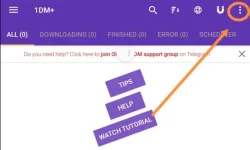
1) Open 1DM / 1DM+ then click the 3-dots in the upper-right.
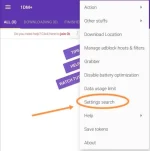
2) Tap on "Settings Search"
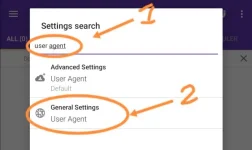
3) Search for "User Agent" then tap "General Settings - User Agent".
4) Tap "User Agent" just like the pic.
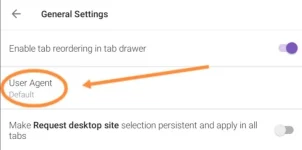
5) Change "Default" to "Custom"
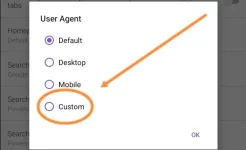
6) Paste this in or you could also get User Agent from google.
Code:
Mozilla/5.0 (Linux; Android 8.1.0; CPH1909) AppleWebKit/537.36 (KHTML, like Gecko) Chrome/85.0.4183.127 Mobile Safari/537.36 OPR/60.1.3004.55238