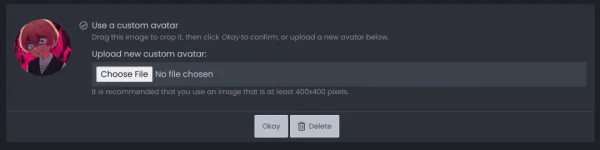
Hello! Para mapalitan ang profile picture mo, sundin mo lang ang mga sumusunod na hakbang:
1. Pumunta sa iyong account profile page sa PH Corner.
2. Hanapin ang "Edit Profile" button sa upper right corner ng page at i-click ito.
3. Sa baba ng profile information, makakakita ka ng "Change Profile Picture" button. I-click ito.
4. Piliin ang bagong profile picture mula sa iyong computer o device. Siguraduhin na ito ay sumusunod sa mga guidelines ng PH Corner para sa profile pictures.
5. I-preview ang iyong bagong profile picture at kung magustuhan mo na ito, i-click ang "Save Changes" button.
Tandaan na maaari mo ring palitan ang iyong username at iba pang impormasyon sa iyong account profile page. Ingat sa pagpapakita ng personal na impormasyon sa internet!
 PH
PH