Ito po try nyu pero mahaba-habang proseso nga lang
strictly for windows users only.
STEP 1-
Download mo to:
You do not have permission to view the full content of this post.
Log in or register now.
- JAVA SDK and JRE
- Android SDK
- Apktool core tool
- Sign apk tool
for linux format code editing like NotePad ++
download here:
You do not have permission to view the full content of this post.
Log in or register now.
STEP 2 - Install Android SDK- Go HERE
You do not have permission to view the full content of this post.
Log in or register now.
STEP 3 - Download Apktool - Go
You do not have permission to view the full content of this post.
Log in or register now.
You do not have permission to view the full content of this post.
Log in or register now.
For downloading apktool related files, you need to go
You do not have permission to view the full content of this post.
Log in or register now.
You do not have permission to view the full content of this post.
Log in or register now.
Download latest apktool version, currenlty 1.5.2
Download the batch file and aapt.exe
Create a folder anywhere in the pc and put all the apktool.jar, aapt.exe and the batch script in that folder.
STEP 4 - Using apktool for decompiling anything
Open command prompt
navigate to the folder where you placed apktool.jar, batch script and the aapt.exe
For this guide i am using a simple framework-. res.apk for reference.
Once you are in the folder via cmd prompt, you need to install the file using the " IF " command
type the following command -
Code:
( apktool if
name-of-the-app .apk)
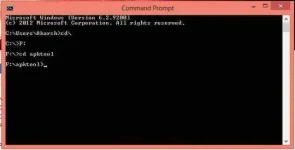
kapag ang command ay na execute ng mabuti ganito xa
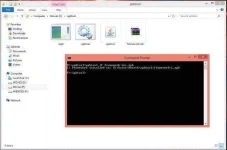
Example:
Code:
(apktool if framework-res.apk)
Kapag na install na ang app decompile mo:
Code:
(apktool d
name-of-the-app .apk)
Example:
Code:
(apktool d
framework-res.apk)
Pagkatapos mag decompile ganito xa.
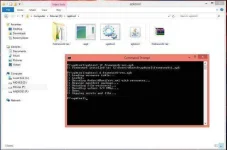
Pag mag recompile ng app use this command
Code:
(apktool b name-of-the-app-folder)
STEP 5- SIGNING THE APK
sign an apk download the
"sign-apk.rar"
extract it to any place.
open a new command prompt and change
into the sign-apk directory using cmd
move the modified-unsigned apk into folder
Code:
(java -jar signapk.jar certificate.pem key.pk8
path-of-the-folder-contaning-the-apk .apk path-of-the-new-signed-apk .apk)
Code:
(java -jar signapk.jar certificate.pem key.pk8 framework-res.apk framework-res-signed.apk)
And DONE !!!
JUST READ INSTRUCTION to way of success....!!!
GOODLUCK PH
PH