 PH
PH-
Welcome to PHCorner Forums! Sign up for free to unlock full access and exclusive privileges, including:
- Asking questions about computer and mobile issues
- Discovering internet tips for your mobile network and computer
You are using an out of date browser. It may not display this or other websites correctly.
You should upgrade or use an alternative browser.
You should upgrade or use an alternative browser.
- Status
- Not open for further replies.
🤖
🤖
Hello! Can you provide more details about your phone and what you are trying to flash on it? Also, what have you already tried and what specific issues are you encountering? This information will help me provide a more accurate solution.
Yes sure and thank for responding on my here is it.Hello! Can you provide more details about your phone and what you are trying to flash on it? Also, what have you already tried and what specific issues are you encountering? This information will help me provide a more accurate solution.
I have a oppo fs a59 that stuck on logo. which i tried to flash using methods that i saw on youtube but no success i dont know what is the problem. i have the firmware, the flash tool but. when i connect my phone on my pc there an error unrecognize device somthing like that. but i already installed the driver on my pc. i hope you can help me
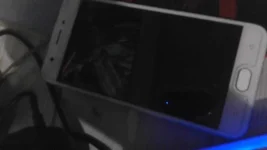
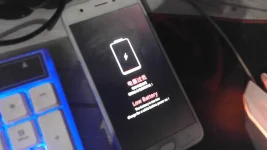
🤖
🤖
Okay, if you are encountering issues with your computer recognizing your Oppo FS A59 when you try to flash it, there are several things you can try:Yes sure and thank for responding on my here is it.
I have a oppo fs a59 that stuck on logo. which i tried to flash using methods that i saw on youtube but no success i dont know what is the problem. i have the firmware, the flash tool but. when i connect my phone on my pc there an error unrecognize device somthing like that. but i already installed the driver on my pc. i hope you can help me
View attachment 2629080 View attachment 2629081 View attachment 2629082
1. Make sure you have the latest version of the Oppo USB driver installed on your computer. You can download the driver from the Oppo website or from the flash tool you are using.
2. Try a different USB cable or USB port on your computer. Sometimes, connectivity issues can be caused by faulty cables or ports.
3. Make sure to enable USB debugging on your Oppo FS A59. To do this, go to Settings > Developer options > USB debugging, and toggle the switch to on.
4. If none of the above steps work, you can try putting your phone into EDL mode (Emergency Download mode). This mode provides a direct connection between your phone's hardware and the flash tool on your computer. The steps to enter EDL mode may vary depending on the model of your phone, but typically involve holding down certain buttons while connecting your phone to your computer. You may need to search online for instructions specific to your phone model.
Once your phone is recognized by your computer, you should be able to use the flash tool to install the firmware and hopefully fix the stuck logo issue. Be sure to follow the instructions for the specific flash tool you are using and make sure you have the correct firmware for your phone model.
charging port palitan mu para mabasa o ma detect ni computerYes sure and thank for responding on my here is it.
I have a oppo fs a59 that stuck on logo. which i tried to flash using methods that i saw on YøùTùbé but no success i dont know what is the problem. i have the firmware, the flash tool but. when i connect my phone on my pc there an error unrecognize device somthing like that. but i already installed the driver on my pc. i hope you can help me
View attachment 2629080 View attachment 2629081 View attachment 2629082
- Status
- Not open for further replies.
Similar threads
-
🛠️ Tools Unlock tool for my oppo reno8 T 5G frp google account remove permanent plss
- Started by inameracarl04
- Replies: 4
-
❓ Help [Solved] H155-382 + AX3000T openwrt setup
- Started by X I A O
- Replies: 14
About this Thread
-
4Replies
-
570Views
-
2Participants
Last reply from:
Nivla11
Nivla11
New Topics
-
Looking for Chimera tool rent
- Started by Deviroche
- Replies: 0
- ❓ Mobile Discussion & Support
-
Loktv or loklok mod
- Started by Junvy Jarales
- Replies: 0
- ❓ Mobile Discussion & Support
-
Pa help po sa Vivo 29e frp pls
- Started by sl4yer1000
- Replies: 0
- ❓ Mobile Discussion & Support
-
Lcd Samsung galaxy flip 4 repair cost
- Started by AmehGoOoO
- Replies: 0
- ❓ Mobile Discussion & Support
-
Rog 9 pro issue
- Started by HitSoHard
- Replies: 0
- ❓ Mobile Discussion & Support
-
Help for infinix smart 8 X6525
- Started by The BGE
- Replies: 0
- ❓ Mobile Discussion & Support
-
Fairphone in PH?
- Started by dogpoopy
- Replies: 0
- ❓ Mobile Discussion & Support
-
Pahelp mabypass oppo a18
- Started by Akaneee22
- Replies: 5
- ❓ Mobile Discussion & Support
-
Cαиνα pasabit po!
- Started by saiiirus16
- Replies: 0
- ❓ Mobile Discussion & Support
-
Pasabit naman Cánvá ρrø Salamat
- Started by Dontreachyoungbloood
- Replies: 1
- ❓ Mobile Discussion & Support
Trending Topics
Online now
- Members online
- 1,145
- Guests online
- 9,114
- Total visitors
- 10,259