 PH
PHzazomoshop
Elite
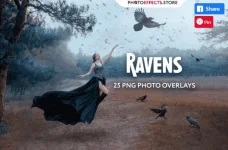
– 25 PNG files
– Width Max 2600 px, Min 430 px
– Friendly instructions inside
KINDLY NOTE
1. After complete downloading the archive ‘067. 25 Ravens Photo Overlays.zip’ will be downloaded to the ‘Downloads’ folder or the one you selected.
2. Unzip the archive into a folder. Do not be discouraged if the folder images with a black background. There is a Screen Blend Mode that allows you to remove the black background by displaying only objects in Photoshop.
3. Open Photoshop, open an image that you will apply and follow one of the ways below.
PLEASE LET ME KNOW IF YOU HAVE ANY QUESTIONS.
INSTRUCTIONS
There are 3 ways to apply photo overlays:
1st – using Overlay Actions (include)
2nd – using Quickstart PSD course (include only in PRO version)
3rd – standard, Drag’n’Drop method
You do not have permission to view the full content of this post. Log in or register now.
– Width Max 2600 px, Min 430 px
– Friendly instructions inside
KINDLY NOTE
1. After complete downloading the archive ‘067. 25 Ravens Photo Overlays.zip’ will be downloaded to the ‘Downloads’ folder or the one you selected.
2. Unzip the archive into a folder. Do not be discouraged if the folder images with a black background. There is a Screen Blend Mode that allows you to remove the black background by displaying only objects in Photoshop.
3. Open Photoshop, open an image that you will apply and follow one of the ways below.
PLEASE LET ME KNOW IF YOU HAVE ANY QUESTIONS.
INSTRUCTIONS
There are 3 ways to apply photo overlays:
1st – using Overlay Actions (include)
2nd – using Quickstart PSD course (include only in PRO version)
3rd – standard, Drag’n’Drop method
You do not have permission to view the full content of this post. Log in or register now.