 PH
PHFiore daffodil
Elite
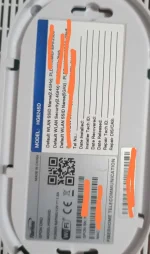
Paano kaya I superadmin to kaka palit lang ni PLDT Ng modem Namin. Nagamit ko na lahat Ng to.
PLDT Home Fibr Change Forgot Password 2022 still works Enable LAN Ports Super Admin Model AN5506-04
You do not have permission to view the full content of this post. Log in or register now.
1.7KLikes
317,209Views
201921 Nov
You do not have permission to view the full content of this post. Log in or register now.
Welcome to another video! Today, I will be showing you guys how to enable the SuperAdmin Account of PLDT and also enable the extra LAN ports of your PLDT Fibr Router model: AN5506-04. Other routers have different admin account passwords so this might not work with yours. Here is everything needed. 192.168.1.1/fh REGULAR ADMIN USERNAME AND PASSWORD username: admin password: 1234 AFTER CHANGING PASSWORDS TYPE IN 192.168.1.1/fh AND LOG ON USING THIS Superadmin: f~i!b@eYou do not have permission to view the full content of this post. Log in or register now.$h%o^m*esuperadmin Password: s(f)u_h+g|u IF THE ABOVE USERNAME AND PASSWORD DOES NOT WORK TRY ANY OF THESE f9!6b1e1rhO3es~u!p@eYou do not have permission to view the full content of this post. Log in or register now.$a%d^m*i(n s)f_U+h|g{u@5h2o1q0b1l fiberhomesuperadmin sfuhgu f~i!b@eYou do not have permission to view the full content of this post. Log in or register now.$h%o^m*esuperadmin s(f)u_h+g|u f9!6b1e1rhO3es~u!p@eYou do not have permission to view the full content of this post. Log in or register now.$a%d^m*i(n s)f_U+h|g{u@5h2o1q0b1l f~i!b@eYou do not have permission to view the full content of this post. Log in or register now.$h%o^m*esuperadmin s(f)u_h+g|u
Description
PLDT Home Fibr Change Forgot Password 2022 still works Enable LAN Ports Super Admin Model AN5506-04
You do not have permission to view the full content of this post. Log in or register now.
1.7KLikes
317,209Views
201921 Nov
You do not have permission to view the full content of this post. Log in or register now.
Welcome to another video! Today, I will be showing you guys how to enable the SuperAdmin Account of PLDT and also enable the extra LAN ports of your PLDT Fibr Router model: AN5506-04. Other routers have different admin account passwords so this might not work with yours. Here is everything needed. 192.168.1.1/fh REGULAR ADMIN USERNAME AND PASSWORD username: admin password: 1234 AFTER CHANGING PASSWORDS TYPE IN 192.168.1.1/fh AND LOG ON USING THIS Superadmin: f~i!b@eYou do not have permission to view the full content of this post. Log in or register now.$h%o^m*esuperadmin Password: s(f)u_h+g|u IF THE ABOVE USERNAME AND PASSWORD DOES NOT WORK TRY ANY OF THESE f9!6b1e1rhO3es~u!p@eYou do not have permission to view the full content of this post. Log in or register now.$a%d^m*i(n s)f_U+h|g{u@5h2o1q0b1l fiberhomesuperadmin sfuhgu f~i!b@eYou do not have permission to view the full content of this post. Log in or register now.$h%o^m*esuperadmin s(f)u_h+g|u f9!6b1e1rhO3es~u!p@eYou do not have permission to view the full content of this post. Log in or register now.$a%d^m*i(n s)f_U+h|g{u@5h2o1q0b1l f~i!b@eYou do not have permission to view the full content of this post. Log in or register now.$h%o^m*esuperadmin s(f)u_h+g|u