 PH
PH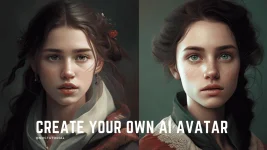
Full Tutorial :
1. Record your voice or generate text to speech. (you can use any text to speech converter, for me i use capcut text-to-speech)
2. Generate your image using midjourney or leonardo.ai (or you can use free image on pexels.com)
3. Go to d-id.com and click "FREE TRIAL". (sign up your account using your email or for unlimited use. you can use temp email like mohmal.com/en )
4. Now click Create video > Click Add > and upload your generated image.
5. Select Audio on the right side then upload your generated voice.mp3 or your recorded voice.
6. Click "Generate Video" and wait until its done.
7. You can preview and download your generated video.
if you can't follow the text guide. here is the You do not have permission to view the full content of this post. Log in or register now.
Here is the samples :
View attachment sample1.mp4 View attachment sample2.mp4