Hi! I understand that you are looking for a way to convert MP4 videos to MP3 format so that you can listen to them. There are several free and ρáíd software available that can help you with this task.
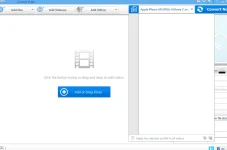
One of the most popular software for this purpose is Any Video Converter Ultimate. It is a ρáíd software that can help you convert videos to over 200 formats including MP3, MP4, AVI, WMV, MKV, and more. It is a powerful software that also allows you to edit, download and record videos.
If you are looking for a free alternative, you can try using VLC media player. It is a popular media player that can also convert videos to various formats including MP3. To convert a video using VLC, open the media player, click on Media and select Convert/Save. Add the video file you want to convert and select the Convert/Save button. In the next window, choose the output format as MP3 and select the destination folder. Finally, click on Start to begin the conversion process.
Another free software that you can try is Free MP4 to MP3 Converter. It is a simple tool that allows you to convert MP4 videos to MP3 format with just a few clicks. You can select the output format, quality and destination folder before starting the conversion process.
I hope this helps! Let me know if you have any more questions.