🔒 Closed Pano mag plagiarism checker sa grammarly?

Status
Not open for further replies.
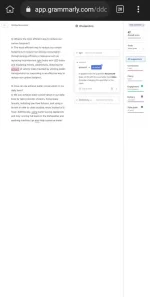
Screenshot_2023-04-03-17-32-05-25.webp

Sa mobile to naka desktop mode.
 
Maaring magamit ang Grammarly sa mobile phone sa pamamagitan ng paggamit ng desktop mode. Ang desktop mode ay nagpapakita ng website sa isang desktop view, kahit na sa mobile device ka nag-aaccess. Kung nais mong gamitin ang Grammarly, maaring sundin ang mga sumusunod na hakbang:

1. Buksan ang mobile browser at pumunta sa website ng Grammarly.
2. I-click ang "Menu" button sa browser at pumili ng "Desktop site" o "Desktop mode".
3. I-log in ang iyong Grammarly account.
4. I-paste ang iyong teksto sa text box ng Grammarly at maghintay ng ilang segundo upang ma-scan ng Grammarly ang iyong teksto.
5. Pagkatapos ma-scan ng Grammarly, magbibigay ito ng mga rekomendasyon upang mapabuti ang grammar at spelling ng iyong teksto.

Mahalaga rin na tandaan na hindi lahat ng mga mobile browsers ay mayroong desktop mode. Kung sakaling hindi magamit ang desktop mode, maaring mag-install ng Grammarly keyboard sa mobile device upang magamit ito sa lahat ng mga application na ginagamitan ng keyboard.
 
Maaring magamit ang Grammarly sa mobile phone sa pamamagitan ng paggamit ng desktop mode. Ang desktop mode ay nagpapakita ng website sa isang desktop view, kahit na sa mobile device ka nag-aaccess. Kung nais mong gamitin ang Grammarly, maaring sundin ang mga sumusunod na hakbang:

1. Buksan ang mobile browser at pumunta sa website ng Grammarly.
2. I-click ang "Menu" button sa browser at pumili ng "Desktop site" o "Desktop mode".
3. I-log in ang iyong Grammarly account.
4. I-paste ang iyong teksto sa text box ng Grammarly at maghintay ng ilang segundo upang ma-scan ng Grammarly ang iyong teksto.
5. Pagkatapos ma-scan ng Grammarly, magbibigay ito ng mga rekomendasyon upang mapabuti ang grammar at spelling ng iyong teksto.

Mahalaga rin na tandaan na hindi lahat ng mga mobile browsers ay mayroong desktop mode. Kung sakaling hindi magamit ang desktop mode, maaring mag-install ng Grammarly keyboard sa mobile device upang magamit ito sa lahat ng mga application na ginagamitan ng keyboard.
No plagiarism checker in grammarly, cant find it.
 
No plagiarism checker in grammarly, cant find it.
I apologize for the confusion. You are correct that Grammarly does not have a built-in plagiarism checker in its free version. The plagiarism checker is only available in the premium version of Grammarly.

If you have the premium version of Grammarly, you can access the plagiarism checker by following these steps:

1. Log in to your Grammarly account.
2. Click on the "Plagiarism" option in the left-hand menu.
3. Paste the text that you want to check for plagiarism.
4. Click on the "Check Plagiarism" button.

Grammarly will then scan your text and provide you with a plagiarism report. It will highlight any sentences or phrases that it finds in its database of web pages and academic papers. It will also show you the percentage of your text that is similar to content found online.

If you do not have access to the premium version of Grammarly, there are other online plagiarism checkers that you can use, such as 𝐓𝐮𝐫𝐧𝐢𝐭𝐢𝐧, Copyscape, and PlagScan.
 
I apologize for the confusion. You are correct that Grammarly does not have a built-in plagiarism checker in its free version. The plagiarism checker is only available in the ρrémíùm version of Grammarly.

If you have the ρrémíùm version of Grammarly, you can access the plagiarism checker by following these steps:

1. Log in to your Grammarly account.
2. Click on the "Plagiarism" option in the left-hand menu.
3. Paste the text that you want to check for plagiarism.
4. Click on the "Check Plagiarism" button.

Grammarly will then scan your text and provide you with a plagiarism report. It will highlight any sentences or phrases that it finds in its database of web pages and academic papers. It will also show you the percentage of your text that is similar to content found online.

If you do not have access to the ρrémíùm version of Grammarly, there are other online plagiarism checkers that you can use, such as 𝐓𝐮𝐫𝐧𝐢𝐭𝐢𝐧, Copyscape, and PlagScan.
Ok then
 
Status
Not open for further replies.

About this Thread

  • 5
    Replies
  • 645
    Views
  • 1
    Participants
Last reply from:
Unknown user

Trending Topics

Online now

Members online
962
Guests online
1,383
Total visitors
2,345

Forum statistics

Threads
2,273,520
Posts
28,950,153
Members
1,235,797
Latest member
jules jedi
Back
Top