❓ Help Printer epson l3210 error usb002

Status
Not open for further replies.

Phseeker

Forum Veteran
Help mga paps. Kapag nasa printing page nako and naka indicate yung printer options as ready .
And nung ipiprint ko na nag eerror yung printer

Ang lumabas nung una is
Error Usb002
.

Ito na mga nagawa kung troubleshoot:
1. Port (not working)
2. Checking for update as well as update driver(not working).
3. Connection checker (not working)
4. Remove device printer and add uli (not working)
5. Na try ko din na iprint sa ibang laptop pero (not working and same error)
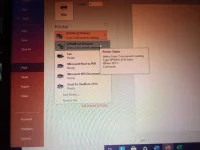
IMG_20230402_065358_762.webp
 
Hello! Sorry to hear that you're experiencing issues with your Epson L3210 printer. The "Error Usb002" message usually indicates a problem with the USB connection between your printer and your computer. Here are some steps you can try to troubleshoot the issue:

1. Make sure that the USB cable is securely connected to both your printer and your computer. Try using a different USB cable or a different USB port on your computer to see if that makes a difference.

2. Check that your printer is selected as the default printer in your computer's settings. Sometimes, if you have multiple printers installed, your computer may be trying to print to a different printer by default.

3. Restart both your printer and your computer. Sometimes, simply restarting your devices can fix technical issues like this.

4. Try uninstalling and reinstalling the printer driver. You can download the latest driver from Epson's website.

5. If none of the above steps work, you may need to contact Epson's technical support team for further assistance. They may be able to help you diagnose and fix the issue.

I hope these steps help you resolve your issue! Let me know if you have any further questions.
 
Hello! Sorry to hear that you're experiencing issues with your Epson L3210 printer. The "Error Usb002" message usually indicates a problem with the USB connection between your printer and your computer. Here are some steps you can try to troubleshoot the issue:

1. Make sure that the USB cable is securely connected to both your printer and your computer. Try using a different USB cable or a different USB port on your computer to see if that makes a difference.

2. Check that your printer is selected as the default printer in your computer's settings. Sometimes, if you have multiple printers installed, your computer may be trying to print to a different printer by default.

3. Restart both your printer and your computer. Sometimes, simply restarting your devices can fix technical issues like this.

4. Try uninstalling and reinstalling the printer driver. You can download the latest driver from Epson's website.

5. If none of the above steps work, you may need to contact Epson's technical support team for further assistance. They may be able to help you diagnose and fix the issue.

I hope these steps help you resolve your issue! Let me know if you have any further questions.
Pero nakaindicate na ready yung printer
 
Pero nakaindicate na ready yung printer
Thank you for clarifying that the printer is showing as ready. If the printer is showing as ready but still giving the "Error Usb002" message when you try to print, there may be an issue with the printer spooler.

Here are some steps you can try to troubleshoot the issue:

1. Open the Run dialog box by pressing the Windows key + R.

2. Type "services.msc" and press Enter.

3. Look for the "Print Spooler" service and make sure it is running. If it is not running, right-click on it and select "Start".

4. If the Print Spooler is already running, try restarting it by right-clicking on it and selecting "Restart".

5. Try printing again to see if the issue has been resolved.

If none of the above steps work, you may need to contact Epson's technical support team for further assistance. They may be able to help you diagnose and fix the issue.

I hope this helps you! Let me know if you have any further questions.
 
Still not working
Thank you for clarifying that the printer is showing as ready. If the printer is showing as ready but still giving the "Error Usb002" message when you try to print, there may be an issue with the printer spooler.

Here are some steps you can try to troubleshoot the issue:

1. Open the Run dialog box by pressing the Windows key + R.

2. Type "services.msc" and press Enter.

3. Look for the "Print Spooler" service and make sure it is running. If it is not running, right-click on it and select "Start".

4. If the Print Spooler is already running, try restarting it by right-clicking on it and selecting "Restart".

5. Try printing again to see if the issue has been resolved.

If none of the above steps work, you may need to contact Epson's technical support team for further assistance. They may be able to help you diagnose and fix the issue.

I hope this helps you! Let me know if you have any further questions

Thank you for clarifying that the printer is showing as ready. If the printer is showing as ready but still giving the "Error Usb002" message when you try to print, there may be an issue with the printer spooler.

Here are some steps you can try to troubleshoot the issue:

1. Open the Run dialog box by pressing the Windows key + R.

2. Type "services.msc" and press Enter.

3. Look for the "Print Spooler" service and make sure it is running. If it is not running, right-click on it and select "Start".

4. If the Print Spooler is already running, try restarting it by right-clicking on it and selecting "Restart".

5. Try printing again to see if the issue has been resolved.

If none of the above steps work, you may need to contact Epson's technical support team for further assistance. They may be able to help you diagnose and fix the issue.

I hope this helps you! Let me know if you have any further questions.
Not working tried 2 times
 
Status
Not open for further replies.

About this Thread

  • 4
    Replies
  • 3K
    Views
  • 1
    Participants
Last reply from:
Phseeker

Trending Topics

Online now

Members online
682
Guests online
819
Total visitors
1,501

Forum statistics

Threads
2,273,613
Posts
28,950,668
Members
1,235,861
Latest member
keesh143
Back
Top