🎓 Course HOW TO UNLOCK COURSEHERO

1680058818970.png 1680061061793.png


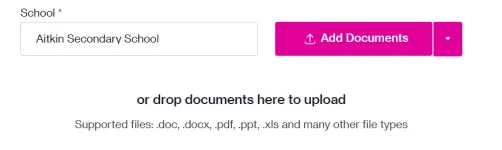
Step 1: Make a Coursehero Account. Sa school section, pwede ka maglagay ng kahit ano.

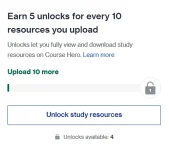
Ang main method natin for unlocks is through uploading documents.

1680059013492.png

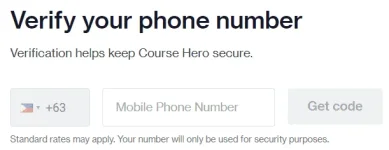
Step 2: Click "Upload Now", and put in your phone number.
1680059113867.png

Step 3: Uploading documents.

1680059538497.png

Saan tayo hahanap ng documents? Simple. Use the site below.

You do not have permission to view the full content of this post. Log in or register now.

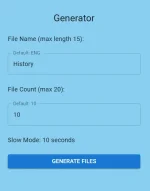
Step 3.1: Put in any subject in the "File Name", and 10 in the "File Count"

Step 3.2: Click Generate Files
1680059904577.png

Step 3.3: Extract your files

Now that we have our documents, time to upload to Coursehero


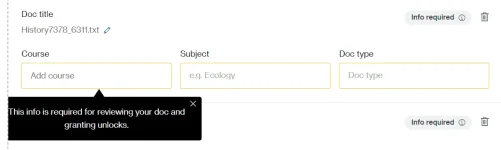
Step 4: Fill in the info

1680060195852.png

For best results, dapat related yung "Course" sa "File Name" you provided on Step 3.1. Sa subject and sa doc type, generally pwede ka mag lagay ng kahit ano. Pero preferred ko yung Notes sa doc type.


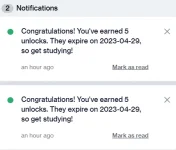
If you did everything right, it should accept all the documents you provided. Review generally takes 10 minutes or less.

You can repeat this method two times, for a total of 20 documents and 10 unlocks everyday. Kung marami kang phone numbers, you can repeat this method indefinitely.


Feedback is much appreciated!


About this Thread

  • 24
    Replies
  • 1K
    Views
  • 24
    Participants
Last reply from:
-Stellar

Online now

Members online
1,315
Guests online
2,365
Total visitors
3,680

Forum statistics

Threads
2,319,324
Posts
29,199,864
Members
1,180,294
Latest member
Adobo696969
Back
Top