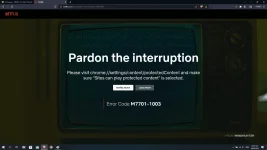
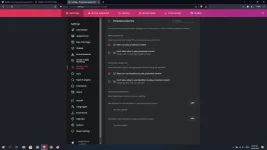
Error code M7701-1003 on Netflix usually indicates an issue with your browser's configuration or an outdated version of the Netflix app. Here are some troubleshooting steps you can try:
- Clear your browser's cache and cookies. This can be done through your browser settings or preferences.
- Disable any browser extensions or add-ons that may be interfering with Netflix.
- Check if your browser is up to date. You can do this by going to the browser's help or settings section and checking for updates.
- Try using a different browser to see if the issue persists.
- If you're using the Netflix app, make sure it's up to date. You can do this by going to your device's app store and checking for updates.
- Restart your device and try again.
If none of these solutions work, you can contact Netflix customer support for further assistance.
 PH
PH