 PH
PHT A Y L O R _ 1 3
Forum Master
Export for iTunes lets you export your playlists and albums from iTunes to any local folder, external storage, SD card or USB drive! With Export for iTunes you can transfer easily your playlists to your car stereo or any other media player. Convert aac/m4a files to mp3 for best compatibility with most sound systems.
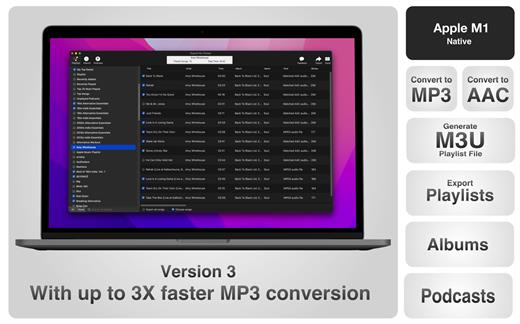
The app converts, copies and organizes your playlists’ and albums’ music files into folders, and creates the .m3u file that lets you play your playlist on any media player. For every album, you can include an image file with album artwork. You can browse and select which of your playlists or albums you want to export. See all playlist/album tracks with their metadata without opening the iTunes app. You can also export the track list from any album or playlist to Excel, so you can create a file with info about all your iTunes music. This iTunes export app let you preview and export metadata like: Title, Artist, Time, Album, Genre, File path, Kind, and Bitrate. The app does not modify your iTunes library.
What’s New
Version 3.5:
- Release notes were unavailable when this listing was updated.
macOS 10.9 or later.
Uploadgig
You do not have permission to view the full content of this post. Log in or register now.
Nitroflare
You do not have permission to view the full content of this post. Log in or register now.
Rapidgator
You do not have permission to view the full content of this post. Log in or register now.