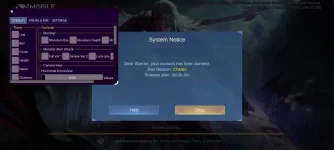
PH
PHRUI | G.O.A.T Edition | VIP v.5.0.5
----------------------------------------------------
Date Released: 3/10/2023
Best Features
- Top Safest Unlock Skins
( Clickable Skin Icon in Brawl, Classic, Rank )
Changelog?
[ ] Can use Microphone
[] fixed minimap icon
[] Updated base apk M4 logo
[] Add unlock all emblems
[] Unlock All Skin
(Safest of All)
[] Maybe fix stuck
(can't download resources)
[] Updated Bypass
(Block-Reports & Anti-Ban)
[] On Point Auto Retri
[] Working Auto Skills with aim
[] Auto Spell
[] Auto Combo and many more...
[] 7- 10 Days Bypass Expired
Download Mod APK:
PPD
You do not have permission to view the full content of this post. Log in or register now.
DIRECT
You do not have permission to view the full content of this post. Log in or register now.
=============================================================
How to Install:
1. Go to Android> data> rename com.mobile.legends to com.mobile.legends1
2. Uninstall the current ML
3. Install Mod APK
4. Go to Android> data> rename com.mobile.legends1 to com.mobile.legends
=============================================================
Credits to: Ryeko PH
----------------------------------------------------
Date Released: 3/10/2023
Best Features
- Top Safest Unlock Skins
( Clickable Skin Icon in Brawl, Classic, Rank )
Changelog?
[
] Can use Microphone[
] fixed minimap icon[
] Updated base apk M4 logo[
] Add unlock all emblems[
] Unlock All Skin(Safest of All)
[
] Maybe fix stuck(can't download resources)
[
] Updated Bypass(Block-Reports & Anti-Ban)
[
] On Point Auto Retri[
] Working Auto Skills with aim[
] Auto Spell[
] Auto Combo and many more...[
] 7- 10 Days Bypass ExpiredDownload Mod APK:
PPD
You do not have permission to view the full content of this post. Log in or register now.
DIRECT
You do not have permission to view the full content of this post. Log in or register now.
=============================================================
How to Install:
1. Go to Android> data> rename com.mobile.legends to com.mobile.legends1
2. Uninstall the current ML
3. Install Mod APK
4. Go to Android> data> rename com.mobile.legends1 to com.mobile.legends
=============================================================
Credits to: Ryeko PH