What is the best tool for making multi bootable flash drive?Oo, maaari kang maglagay ng mga installer sa iyong bootable USB, kasama na ang mga driver booster, MS Office, Photoshop, at iba pa. Ngunit dapat mong tiyakin na ang mga installer na ito ay naaayon sa iyong bootable USB at ang mga ito ay gumagana nang maayos.
Ang tamang lugar upang ilagay ang mga installer ay sa loob ng mga folder sa loob ng iyong bootable USB. Maaaring gumawa ka ng mga folder tulad ng "Drivers", "Applications", o "Software" upang mas madaling ma-organize ang iyong mga installer.
Tiyaking hindi mo binago ang mga pangunahing laman ng iyong bootable USB at hindi mo ito ginamit para sa ibang layunin maliban sa pag-boot ng mga installer. Kung mayroong error na nangyari sa iyong bootable USB, maaaring ito ay dahil sa hindi tamang pagkakalagay ng mga installer o mga file, kaya't dapat mong tiyakin na ang mga ito ay naaayon sa iyong bootable USB at gumagana nang maayos.
There are several tools available for creating a multibootable USB flash drive, and the best tool for you will depend on your specific needs and preferences. Some popular tools for creating a multibootable USB flash drive include:What is the best tool for making multi bootable flash drive?
what is the strenghts and weaknesses and weaknesses of Easy2boot tool?There are several tools available for creating a multibootable USB flash drive, and the best tool for you will depend on your specific needs and preferences. Some popular tools for creating a multibootable USB flash drive include:
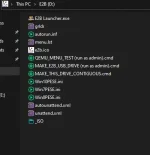
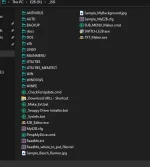
1. Easy2Boot - a free, drag-and-drop tool that allows you to create a bootable USB drive with multiple ISO files and other bootable images.
2. YUMI (Your Universal Multiboot Installer) - a free, open-source tool that allows you to create a bootable USB drive with multiple operating systems, antivirus utilities, diagnostic tools, and more.
3. Rufus - a free, open-source tool that allows you to create bootable USB drives from ISO images, including multibootable drives with multiple ISO files.
4. WinSetupFromUSB - a free, open-source tool that allows you to create a multibootable USB drive with multiple operating systems and other bootable images.
It's important to note that each of these tools has its own strengths and weaknesses, so you should do your own research and choose the one that best fits your needs.
Easy2Boot is a popular tool for creating multibootable USB drives, and it has several strengths and weaknesses:what is the strenghts and weaknesses and weaknesses of Easy2boot tool?
no problem naman ang RUFUS, pero hindi pwede dalawa legacy and UEFI isa lang pwedeRufus gamit ko, tagal ko na gamit yan ok naman, pero now pwede ka na ata gumawa ng bootable from microsoft mismo