PH
PHFor this tutorial, Apple Music po yung gagamitin ko (Pero same method lang po sila sa Windows - iTunes)
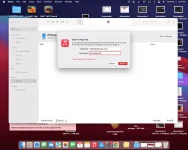
1. Sign in your Apple ID to iTunes (Windows) or Apple Music (Mac). Select Account, and Sign in:
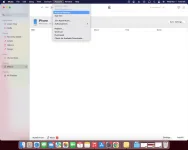
2. Select Account, the Account Settings.
3. May ganito pong lalabas, just click on Change Country or Region
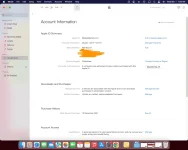
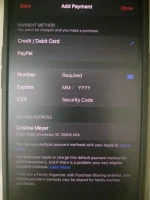
4. Visit You do not have permission to view the full content of this post. Log in or register now. para sa Random Address and Phone number. Sa payment method, just select none. Then select continue.
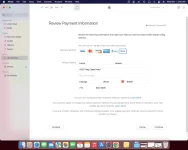
5. Done!
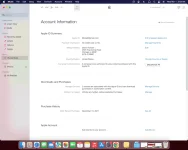
If gusto nyo po bumalik sa Philippines Region, just repeat steps 2 to 4
Perks:
- Free trials
Cons:
- Region specific apps like Shoppe are not available for download
BTW, this is my first post on PHC I hope this tutorial helps
1. Sign in your Apple ID to iTunes (Windows) or Apple Music (Mac). Select Account, and Sign in:
2. Select Account, the Account Settings.
3. May ganito pong lalabas, just click on Change Country or Region
4. Visit You do not have permission to view the full content of this post. Log in or register now. para sa Random Address and Phone number. Sa payment method, just select none. Then select continue.
5. Done!
If gusto nyo po bumalik sa Philippines Region, just repeat steps 2 to 4
Perks:
- Free trials
Cons:
- Region specific apps like Shoppe are not available for download
BTW, this is my first post on PHC
I hope this tutorial helps