PH
PHICE Coffee
⭐⭐☕⭐⭐
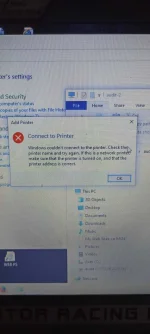
Para po sa mga may problem sa network Printer connection error 0x0000011b try nyo po itong way na ito para ma connect nyo po yung mga PC's sa shared printer
maging maingat din po sa pag EDIT NG REGISTRY SETTINGS
Follow this simple steps:
(Take NOTE! Dapat Admin Account ang gamit mo)
Open Registry
navigate to
HKEY_LOCAL_MACHINE\System\CurrentControlSet\Control\Print
Create New DWORD key and rename it to
RpcAuthnLevelPrivacyEnabled
make sure the value is "0"
exit Registry
run services.msc
restart Print Spooler
or
Restart Computer
I hope this help sa mga may problem sa connection ng network printer
maging maingat din po sa pag EDIT NG REGISTRY SETTINGS
Follow this simple steps:
(Take NOTE! Dapat Admin Account ang gamit mo)
Open Registry
navigate to
HKEY_LOCAL_MACHINE\System\CurrentControlSet\Control\Print
Create New DWORD key and rename it to
RpcAuthnLevelPrivacyEnabled
make sure the value is "0"
exit Registry
run services.msc
restart Print Spooler
or
Restart Computer
I hope this help sa mga may problem sa connection ng network printer