PH
PH
General Features of Wondershare Filmora 12
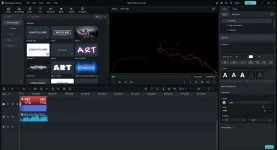
Instant modeNo editing skills are needed to use an instant mode to create a video. Just add the media you want to display, and Filmora will make a video for you right away.
115+ easy-to-use video templates
Filmora has up to 115 video templates, including vlog, business, intro, slideshow, travel, and more. You can find whatever you want and produce a video in a few minutes.
Automatically recognize video highlights, save time
You no longer need to spend more than 3 hours working on the video timeline to create a video. Filmora’s AI algorithm can automatically find the highlighted part of your media and then create a video.
Provide sample video to preview, spark creativity
When you have no idea how to organize your media to make a video, Filmora Instant Mode will help you. You can use Filmora’s instant mode to spark your idea of making a video.
Preset Templates
Get started easily with the built-in Filmora video template to make a creative video. You can also save your video templates in the cloud and share them with other creators!
1000+ templates to create a video effortlessly
Filmora provides 1000+ templates for you to create a video for all occasions: travel, gaming, festival, wedding, education, family, social media, hot trending, e-commerce, advertisement, etc. Your personal or business demands can be easily met.
Replace the videos and images yourself
You can also insert or change the clips in the video and audio track according to your needs, making your video more unique and brilliant. After that, you can save them to the template the next time you use them.
Create and share your own preset templates with others with ease
Do you want to share your preset templates with others? It’s easy with Filmora! You can share your custom preset templates with your colleagues or friends to help them quickly create a video like yours.
Auto Rhythm Sync
Matching footage to music won’t be difficult anymore with Filmora Auto Montage Maker, which can automatically edit the footage to be smooth to the music of your choice. (This feature is for Windows only)
The world’s first manufacturer of automatic assemblies
Filmora Auto Montage Maker can automatically match footage to music clips, and analyze beat points to add video effects or change the view. Plus, it can quickly identify bad parts of your footage, like too dark, overexposure, or flicker, and automatically remove them so you can quickly get music that matches well with the video.
INSTRUCTION
Disable your antivirus temporarily.System Requirements
Operating systems: Windows 11, Windows 10, Windows 8, Windows 7Processor: Intel i5 or better multi-core processor, 2 GHz or better
6th generation or newer Intel CPU recommended for HD and 4K video
Memory: 8 GB of RAM (16 GB required for HD and 4K videos).
Graphics: Intel HD Graphics 5000 or better; NVIDIA GeForce GTX 700 or better
2 GB of RAM (4 GB required for HD and 4K videos).
Disk: At least 10 GB of free hard disk space for installation
Data Sheet
Software: Wondershare Filmora 12Developer: You do not have permission to view the full content of this post. Log in or register now.
Language: Multilingual
Medicine: Pre_Activated
Download