 PH
PHpRinz mArk XD
Fanatic
---
Palagi nlang ba nahihide ang mga files mo sa iyong flashdrive dahil sa mga virus?
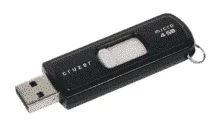
Using this tool you can unhide your hidden files in your usb/flash drives easily
How?
1. Download USB fixer tool. see attachment below.
2. Turn off your antivirus or exclude the tool..
note: di po yan virus ,false alarm lng .nasa inyo yan kung gusto nyo
3. After nyo madownlod, open USB Fixer
Type the Drive Letter, (letter only)
and press Enter
4. Wait until its done unhiding your files, mas matagal kpag malaki ang size,
5. Now open your usb, Unhide na ang mga files mo
Ginawa ko to pra mdali lng ang pagunhide,
small size lng to kya mdali mdownload
kung helpful hit like nalang_ salamuch
Palagi nlang ba nahihide ang mga files mo sa iyong flashdrive dahil sa mga virus?
Using this tool you can unhide your hidden files in your usb/flash drives easily
How?
1. Download USB fixer tool. see attachment below.
2. Turn off your antivirus or exclude the tool..
note: di po yan virus ,false alarm lng .nasa inyo yan kung gusto nyo
3. After nyo madownlod, open USB Fixer
Type the Drive Letter, (letter only)
and press Enter
4. Wait until its done unhiding your files, mas matagal kpag malaki ang size,
5. Now open your usb,
Unhide na ang mga files mo Ginawa ko to pra mdali lng ang pagunhide,
small size lng to kya mdali mdownload
kung helpful hit like nalang_ salamuch
