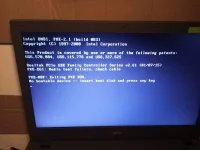
need mo muna mag create ng bootable usb na may windows 10 installer
need pc to create, pero ang alam ko meron nadin way to create bootable gamit android thru OTG
madaming tut sa YT about that
need mo din mag DL ng windows 10 iso sa Microsoft website
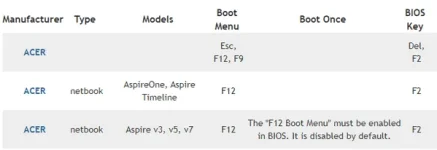
Acer offers a series of models (such as Aspire One, Aspire Timeline, and Aspire v3/v5/v7) to meet users’ different requirements. Though they have a lot in common, the Acer boot menu key is not the same. F12 is the most common key to press in order to access the boot menu on your Acer laptop (and desktop).
How do I get to the boot menu on an Acer?
Please shut down your Acer laptop.
Keep pressing the F12 key on your keyboard from the start. (Though pressing F12 is only required when the Acer logo appears, you’d better keep pressing it in case you miss the window; it disappears in a flash.)
After entering the boot menu, you can navigate to the corresponding boot options and make changes to them by pressing the arrow keys. (Please remember to save changes when you exit the boot menu.)
The other two commonly used keys to access Acer boot menu Windows 10 are Esc and F9.
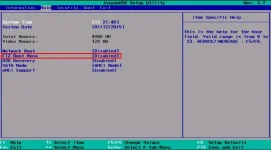
How to enable the F12 Boot Menu on Acer?
Press F12 to access the Acer boot menu.
Go to the Main menu tab by pressing the right arrow button.
Press the down arrow to select F12 Boot Menu.
Press Enter to change the status from Disabled to Enabled.
 PH
PH