PH
PHIto na sulitin nyo na habang free pa ulit sya!
Tutorial
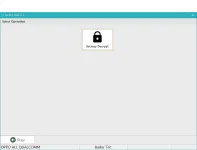
1. Unpack and run GTool_Pro_v1.0_BETA_RELEASE.exe.
2. Create an account
3. ADB drivers must be installed on the PC, and USB debugging must be enabled on the phone.
(When connected, give permission to the PC through a request on the phone screen.)
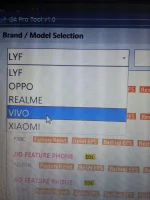
4. In the program, select OPPO, below ALL QUALCOMM
5. Check unlock status *#9434#
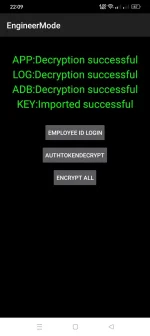
6. Entering the engineering menu *#36446337#
You do not have permission to view the full content of this post. Log in or register now.
comment naman kayo heheh, para ma-up
Tutorial
1. Unpack and run GTool_Pro_v1.0_BETA_RELEASE.exe.
2. Create an account
3. ADB drivers must be installed on the PC, and USB debugging must be enabled on the phone.
(When connected, give permission to the PC through a request on the phone screen.)
4. In the program, select OPPO, below ALL QUALCOMM
5. Check unlock status *#9434#
6. Entering the engineering menu *#36446337#
You do not have permission to view the full content of this post. Log in or register now.
comment naman kayo heheh, para ma-up