PH
PHPHC- Naksu
Elite
1. Open Notepad
2. Copy the code (piliin po kung ano yung office version meron kayo) below and paste it to notepad
3. Then save it as (kahit anung name ilagay mo). cmd
4. Please be aware that this will be detected by your antivirus (please disable antivirus first to prevent false detection upon opening the file)
5.Now then, execute the saved cmd file (run as admin)
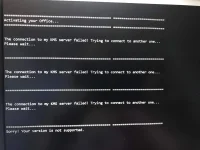
6. Wait till it loads and activates automatically
For Office 2010 (Windows 7/8/8.1/10/11)
echo off
title Activate Microsoft Office 2010 Volume for FREE!&cls&echo ================================================== ==========================&echo #Project: Activating Microsoft software products for FREE without software&echo ================================================== ==========================&echo.&echo #Supported products:&echo - Microsoft Office 2010 Standard Volume&echo - Microsoft Office 2010 Professional Plus Volume&echo.&echo.&(if exist "%ProgramFiles%\Microsoft Office\Office14\ospp.vbs" cd /d "%ProgramFiles%\Microsoft Office\Office14")&(if exist "%ProgramFiles(x86)%\Microsoft Office\Office14\ospp.vbs" cd /d "%ProgramFiles(x86)%\Microsoft Office\Office14")&echo.&echo ================================================== ==========================&echo Activating your Office...&cscript //nologo ospp.vbs /unpkey:8R6BM >nul&cscript //nologo ospp.vbs /unpkey:H3GVB >nul&cscript //nologo ospp.vbs /inpkey:V7QKV-4XVVR-XYV4D-F7DFM-8R6BM >nul&cscript //nologo ospp.vbs /inpkey:VYBBJ-TRJPB-QFQRF-QFT4D-H3GVB >nul&set i=1
:server
if %i%==1 set KMS_Sev=kms7.MSGuides.com
if %i%==2 set KMS_Sev=kms8.MSGuides.com
if %i%==3 set KMS_Sev=kms9.MSGuides.com
if %i%==4 goto notsupported
cscript //nologo ospp.vbs /sethst:%KMS_Sev% >nul&echo ================================================== ==========================&echo.&echo.
cscript //nologo ospp.vbs /act | find /i "successful" && (echo.&echo ================================================== ==========================&echo.&echo #My official blog: MSGuides.com&echo.&echo #How it works: ????????kms-server&echo.&echo #Please feel free to contact me at msguides.com@gmail.com if you have any questions or concerns.&echo.&echo #Please consider supporting this project: donate.msguides.com&echo #Your support is helping me keep my servers running everyday!&echo.&echo ================================================== ==========================&choice /n /c YN /m "Would you like to visit my blog [Y,N]?" & if errorlevel 2 exit) || (echo The connection to my KMS server failed! Trying to connect to another one... & echo Please wait... & echo. & echo. & set /a i+=1 & goto server)
explorer "You do not have permission to view the full content of this post. Log in or register now."&goto halt
:notsupported
echo.&echo ================================================== ==========================&echo Sorry! Your version is not supported.
:halt
pause >nul
For Office 2013 (Windows 7/8/8.1/10/11)
echo off
title Activate Microsoft Office 2013 Volume for FREE!&cls&echo ================================================== ==========================&echo #Project: Activating Microsoft software products for FREE without software&echo ================================================== ==========================&echo.&echo #Supported products:&echo - Microsoft Office 2013 Standard Volume&echo - Microsoft Office 2013 Professional Plus Volume&echo.&echo.&(if exist "%ProgramFiles%\Microsoft Office\Office15\ospp.vbs" cd /d "%ProgramFiles%\Microsoft Office\Office15")&(if exist "%ProgramFiles(x86)%\Microsoft Office\Office15\ospp.vbs" cd /d "%ProgramFiles(x86)%\Microsoft Office\Office15")&echo.&echo ================================================== ==========================&echo Activating your Office...&cscript //nologo ospp.vbs /unpkey:92CD4 >nul&cscript //nologo ospp.vbs /unpkey:GVGXT >nul&cscript //nologo ospp.vbs /inpkey:KBKQT-2NMXY-JJWGP-M62JB-92CD4 >nul&cscript //nologo ospp.vbs /inpkey:YC7DK-G2NP3-2QQC3-J6H88-GVGXT >nul&set i=1
:server
if %i%==1 set KMS_Sev=kms7.MSGuides.com
if %i%==2 set KMS_Sev=kms8.MSGuides.com
if %i%==3 set KMS_Sev=kms9.MSGuides.com
if %i%==4 goto notsupported
cscript //nologo ospp.vbs /sethst:%KMS_Sev% >nul&echo ================================================== ==========================&echo.&echo.
cscript //nologo ospp.vbs /act | find /i "successful" && (echo.&echo ================================================== ==========================&echo.&echo #My official blog: MSGuides.com&echo.&echo #How it works: ????????kms-server&echo.&echo #Please feel free to contact me at msguides.com@gmail.com if you have any questions or concerns.&echo.&echo #Please consider supporting this project: donate.msguides.com&echo #Your support is helping me keep my servers running everyday!&echo.&echo ================================================== ==========================&choice /n /c YN /m "Would you like to visit my blog [Y,N]?" & if errorlevel 2 exit) || (echo The connection to my KMS server failed! Trying to connect to another one... & echo Please wait... & echo. & echo. & set /a i+=1 & goto server)
explorer "You do not have permission to view the full content of this post. Log in or register now."&goto halt
:notsupported
echo.&echo ================================================== ==========================&echo Sorry! Your version is not supported.
:halt
pause >nul
For Office 2016 - can also applied in 365 (Windows 7/8/8.1/10/11)
echo off
title Activate Office 365 ProPlus for FREE - MSGuides.com&cls&echo ============================================================================&echo #Project: Activating Microsoft software products for FREE without software&echo ============================================================================&echo.&echo #Supported products: Office 365 ProPlus (x86-x64)&echo.&echo.&(if exist "%ProgramFiles%\Microsoft Office\Office16\ospp.vbs" cd /d "%ProgramFiles%\Microsoft Office\Office16")&(if exist "%ProgramFiles(x86)%\Microsoft Office\Office16\ospp.vbs" cd /d "%ProgramFiles(x86)%\Microsoft Office\Office16")&(for /f %%x in ('dir /b ..\root\Licenses16\proplusvl_kms*.xrm-ms') do cscript ospp.vbs /inslic:"..\root\Licenses16\%%x" >nul)&(for /f %%x in ('dir /b ..\root\Licenses16\proplusvl_mak*.xrm-ms') do cscript ospp.vbs /inslic:"..\root\Licenses16\%%x" >nul)&echo.&echo ============================================================================&echo Activating your Office...&cscript //nologo slmgr.vbs /ckms >nul&cscript //nologo ospp.vbs /setprt:1688 >nul&cscript //nologo ospp.vbs /unpkey:WFG99 >nul&cscript //nologo ospp.vbs /unpkey RTFM >nul&cscript //nologo ospp.vbs /unpkey:BTDRB >nul&cscript //nologo ospp.vbs /inpkey:XQNVK-8JYDB-WJ9W3-YJ8YR-WFG99 >nul&set i=1
:server
if %i%==1 set KMS_Sev=kms7.MSGuides.com
if %i%==2 set KMS_Sev=kms8.MSGuides.com
if %i%==3 set KMS_Sev=kms9.MSGuides.com
if %i%==4 goto notsupported
cscript //nologo ospp.vbs /sethst:%KMS_Sev% >nul&echo ============================================================================&echo.&echo.
cscript //nologo ospp.vbs /act | find /i "successful" && (echo.&echo ============================================================================&echo.&echo #My official blog: MSGuides.com&echo.&echo #How it works: ????????kms-server&echo.&echo #Please feel free to contact me at msguides.com@gmail.com if you have any questions or concerns.&echo.&echo #Please consider supporting this project: donate.msguides.com&echo #Your support is helping me keep my servers running everyday!&echo.&echo ============================================================================&choice /n /c YN /m "Would you like to visit my blog [Y,N]?" & if errorlevel 2 exit) || (echo The connection to my KMS server failed! Trying to connect to another one... & echo Please wait... & echo. & echo. & set /a i+=1 & goto server)
explorer "You do not have permission to view the full content of this post. Log in or register now."&goto halt
:notsupported
echo.&echo ============================================================================&echo Sorry! Your version is not supported.&echo Please try installing the latest version here: ????????odt2k16
:halt
pause >nul
For Office 2019 (Windows 7/8/8.1/10/11)
echo off
title Activate Microsoft Office 2019 ALL versions for FREE!&cls&echo ============================================================================&echo #Project: Activating Microsoft software products for FREE without software&echo ============================================================================&echo.&echo #Supported products:&echo - Microsoft Office Standard 2019&echo - Microsoft Office Professional Plus 2019&echo.&echo.&(if exist "%ProgramFiles%\Microsoft Office\Office16\ospp.vbs" cd /d "%ProgramFiles%\Microsoft Office\Office16")&(if exist "%ProgramFiles(x86)%\Microsoft Office\Office16\ospp.vbs" cd /d "%ProgramFiles(x86)%\Microsoft Office\Office16")&(for /f %%x in ('dir /b ..\root\Licenses16\ProPlus2019VL*.xrm-ms') do cscript ospp.vbs /inslic:"..\root\Licenses16\%%x" >nul)&(for /f %%x in ('dir /b ..\root\Licenses16\ProPlus2019VL*.xrm-ms') do cscript ospp.vbs /inslic:"..\root\Licenses16\%%x" >nul)&echo.&echo ============================================================================&echo Activating your Office...&cscript //nologo ospp.vbs /unpkey:6MWKP >nul&cscript //nologo ospp.vbs /inpkey:NMMKJ-6RK4F-KMJVX-8D9MJ-6MWKP >nul&set i=1
:server
if %i%==1 set KMS_Sev=kms7.MSGuides.com
if %i%==2 set KMS_Sev=kms8.MSGuides.com
if %i%==3 set KMS_Sev=kms9.MSGuides.com
if %i%==4 goto notsupported
cscript //nologo ospp.vbs /sethst:%KMS_Sev% >nul&echo ============================================================================&echo.&echo.
cscript //nologo ospp.vbs /act | find /i "successful" && (echo.&echo ============================================================================&echo.&echo #My official blog: MSGuides.com&echo.&echo #How it works: bit.ly/kms-server&echo.&echo #Please feel free to contact me at msguides.com@gmail.com if you have any questions or concerns.&echo.&echo #Please consider supporting this project: donate.msguides.com&echo #Your support is helping me keep my servers running everyday!&echo.&echo ============================================================================&choice /n /c YN /m "Would you like to visit my blog [Y,N]?" & if errorlevel 2 exit) || (echo The connection to my KMS server failed! Trying to connect to another one... & echo Please wait... & echo. & echo. & set /a i+=1 & goto server)
explorer "You do not have permission to view the full content of this post. Log in or register now."&goto halt
:notsupported
echo.&echo ============================================================================&echo Sorry! Your version is not supported.&echo Please try installing the latest version here: bit.ly/aiomsp
:halt
pause >nul
For Office 2021 (Windows 7/8/8.1/10/11)
echo off
title Activate Microsoft Office 2021 (ALL versions) for FREE - MSGuides.com&cls&echo =====================================================================================&echo #Project: Activating Microsoft software products for FREE without additional software&echo =====================================================================================&echo.&echo #Supported products:&echo - Microsoft Office Standard 2021&echo - Microsoft Office Professional Plus 2021&echo.&echo.&(if exist "%ProgramFiles%\Microsoft Office\Office16\ospp.vbs" cd /d "%ProgramFiles%\Microsoft Office\Office16")&(if exist "%ProgramFiles(x86)%\Microsoft Office\Office16\ospp.vbs" cd /d "%ProgramFiles(x86)%\Microsoft Office\Office16")&(for /f %%x in ('dir /b ..\root\Licenses16\ProPlus2021VL_KMS*.xrm-ms') do cscript ospp.vbs /inslic:"..\root\Licenses16\%%x" >nul)&echo.&echo =====================================================================================&echo Activating your product...&cscript //nologo slmgr.vbs /ckms >nul&cscript //nologo ospp.vbs /setprt:1688 >nul&cscript //nologo ospp.vbs /unpkey:6F7TH >nul&set i=1&cscript //nologo ospp.vbs /inpkey:FXYTK-NJJ8C-GB6DW-3DYQT-6F7TH >nul||goto notsupported
:skms
if %i% GTR 10 goto busy
if %i% EQU 1 set KMS=kms7.MSGuides.com
if %i% EQU 2 set KMS=s8.uk.to
if %i% EQU 3 set KMS=s9.us.to
if %i% GTR 3 goto ato
cscript //nologo ospp.vbs /sethst:%KMS% >nul
:ato
echo =====================================================================================&echo.&echo.&cscript //nologo ospp.vbs /act | find /i "successful" && (echo.&echo =====================================================================================&echo.&echo #My official blog: MSGuides.com&echo.&echo #How it works: bit.ly/kms-server&echo.&echo #Please feel free to contact me at msguides.com@gmail.com if you have any questions or concerns.&echo.&echo #Please consider supporting this project: donate.msguides.com&echo #Your support is helping me keep my servers running 24/7!&echo.&echo =====================================================================================&choice /n /c YN /m "Would you like to visit my blog [Y,N]?" & if errorlevel 2 exit) || (echo The connection to my KMS server failed! Trying to connect to another one... & echo Please wait... & echo. & echo. & set /a i+=1 & goto skms)
explorer "You do not have permission to view the full content of this post. Log in or register now."&goto halt
:notsupported
echo =====================================================================================&echo.&echo Sorry, your version is not supported.&echo.&goto halt
:busy
echo =====================================================================================&echo.&echo Sorry, the server is busy and can't respond to your request. Please try again.&echo.
:halt
pause >nul
Please Take note that all activation will only last for 180 days don't believe na may forever hehe ang harsh ha pero no worries you can reactivate nman ulit mga lods and yan yung forever na hinahanap mo hehehe enjoy activating your office software mga lods
2. Copy the code (piliin po kung ano yung office version meron kayo) below and paste it to notepad
3. Then save it as (kahit anung name ilagay mo). cmd
4. Please be aware that this will be detected by your antivirus (please disable antivirus first to prevent false detection upon opening the file)
5.Now then, execute the saved cmd file (run as admin)
6. Wait till it loads and activates automatically
For Office 2010 (Windows 7/8/8.1/10/11)
echo off
title Activate Microsoft Office 2010 Volume for FREE!&cls&echo ================================================== ==========================&echo #Project: Activating Microsoft software products for FREE without software&echo ================================================== ==========================&echo.&echo #Supported products:&echo - Microsoft Office 2010 Standard Volume&echo - Microsoft Office 2010 Professional Plus Volume&echo.&echo.&(if exist "%ProgramFiles%\Microsoft Office\Office14\ospp.vbs" cd /d "%ProgramFiles%\Microsoft Office\Office14")&(if exist "%ProgramFiles(x86)%\Microsoft Office\Office14\ospp.vbs" cd /d "%ProgramFiles(x86)%\Microsoft Office\Office14")&echo.&echo ================================================== ==========================&echo Activating your Office...&cscript //nologo ospp.vbs /unpkey:8R6BM >nul&cscript //nologo ospp.vbs /unpkey:H3GVB >nul&cscript //nologo ospp.vbs /inpkey:V7QKV-4XVVR-XYV4D-F7DFM-8R6BM >nul&cscript //nologo ospp.vbs /inpkey:VYBBJ-TRJPB-QFQRF-QFT4D-H3GVB >nul&set i=1
:server
if %i%==1 set KMS_Sev=kms7.MSGuides.com
if %i%==2 set KMS_Sev=kms8.MSGuides.com
if %i%==3 set KMS_Sev=kms9.MSGuides.com
if %i%==4 goto notsupported
cscript //nologo ospp.vbs /sethst:%KMS_Sev% >nul&echo ================================================== ==========================&echo.&echo.
cscript //nologo ospp.vbs /act | find /i "successful" && (echo.&echo ================================================== ==========================&echo.&echo #My official blog: MSGuides.com&echo.&echo #How it works: ????????kms-server&echo.&echo #Please feel free to contact me at msguides.com@gmail.com if you have any questions or concerns.&echo.&echo #Please consider supporting this project: donate.msguides.com&echo #Your support is helping me keep my servers running everyday!&echo.&echo ================================================== ==========================&choice /n /c YN /m "Would you like to visit my blog [Y,N]?" & if errorlevel 2 exit) || (echo The connection to my KMS server failed! Trying to connect to another one... & echo Please wait... & echo. & echo. & set /a i+=1 & goto server)
explorer "You do not have permission to view the full content of this post. Log in or register now."&goto halt
:notsupported
echo.&echo ================================================== ==========================&echo Sorry! Your version is not supported.
:halt
pause >nul
For Office 2013 (Windows 7/8/8.1/10/11)
echo off
title Activate Microsoft Office 2013 Volume for FREE!&cls&echo ================================================== ==========================&echo #Project: Activating Microsoft software products for FREE without software&echo ================================================== ==========================&echo.&echo #Supported products:&echo - Microsoft Office 2013 Standard Volume&echo - Microsoft Office 2013 Professional Plus Volume&echo.&echo.&(if exist "%ProgramFiles%\Microsoft Office\Office15\ospp.vbs" cd /d "%ProgramFiles%\Microsoft Office\Office15")&(if exist "%ProgramFiles(x86)%\Microsoft Office\Office15\ospp.vbs" cd /d "%ProgramFiles(x86)%\Microsoft Office\Office15")&echo.&echo ================================================== ==========================&echo Activating your Office...&cscript //nologo ospp.vbs /unpkey:92CD4 >nul&cscript //nologo ospp.vbs /unpkey:GVGXT >nul&cscript //nologo ospp.vbs /inpkey:KBKQT-2NMXY-JJWGP-M62JB-92CD4 >nul&cscript //nologo ospp.vbs /inpkey:YC7DK-G2NP3-2QQC3-J6H88-GVGXT >nul&set i=1
:server
if %i%==1 set KMS_Sev=kms7.MSGuides.com
if %i%==2 set KMS_Sev=kms8.MSGuides.com
if %i%==3 set KMS_Sev=kms9.MSGuides.com
if %i%==4 goto notsupported
cscript //nologo ospp.vbs /sethst:%KMS_Sev% >nul&echo ================================================== ==========================&echo.&echo.
cscript //nologo ospp.vbs /act | find /i "successful" && (echo.&echo ================================================== ==========================&echo.&echo #My official blog: MSGuides.com&echo.&echo #How it works: ????????kms-server&echo.&echo #Please feel free to contact me at msguides.com@gmail.com if you have any questions or concerns.&echo.&echo #Please consider supporting this project: donate.msguides.com&echo #Your support is helping me keep my servers running everyday!&echo.&echo ================================================== ==========================&choice /n /c YN /m "Would you like to visit my blog [Y,N]?" & if errorlevel 2 exit) || (echo The connection to my KMS server failed! Trying to connect to another one... & echo Please wait... & echo. & echo. & set /a i+=1 & goto server)
explorer "You do not have permission to view the full content of this post. Log in or register now."&goto halt
:notsupported
echo.&echo ================================================== ==========================&echo Sorry! Your version is not supported.
:halt
pause >nul
For Office 2016 - can also applied in 365 (Windows 7/8/8.1/10/11)
echo off
title Activate Office 365 ProPlus for FREE - MSGuides.com&cls&echo ============================================================================&echo #Project: Activating Microsoft software products for FREE without software&echo ============================================================================&echo.&echo #Supported products: Office 365 ProPlus (x86-x64)&echo.&echo.&(if exist "%ProgramFiles%\Microsoft Office\Office16\ospp.vbs" cd /d "%ProgramFiles%\Microsoft Office\Office16")&(if exist "%ProgramFiles(x86)%\Microsoft Office\Office16\ospp.vbs" cd /d "%ProgramFiles(x86)%\Microsoft Office\Office16")&(for /f %%x in ('dir /b ..\root\Licenses16\proplusvl_kms*.xrm-ms') do cscript ospp.vbs /inslic:"..\root\Licenses16\%%x" >nul)&(for /f %%x in ('dir /b ..\root\Licenses16\proplusvl_mak*.xrm-ms') do cscript ospp.vbs /inslic:"..\root\Licenses16\%%x" >nul)&echo.&echo ============================================================================&echo Activating your Office...&cscript //nologo slmgr.vbs /ckms >nul&cscript //nologo ospp.vbs /setprt:1688 >nul&cscript //nologo ospp.vbs /unpkey:WFG99 >nul&cscript //nologo ospp.vbs /unpkey
RTFM >nul&cscript //nologo ospp.vbs /unpkey:BTDRB >nul&cscript //nologo ospp.vbs /inpkey:XQNVK-8JYDB-WJ9W3-YJ8YR-WFG99 >nul&set i=1:server
if %i%==1 set KMS_Sev=kms7.MSGuides.com
if %i%==2 set KMS_Sev=kms8.MSGuides.com
if %i%==3 set KMS_Sev=kms9.MSGuides.com
if %i%==4 goto notsupported
cscript //nologo ospp.vbs /sethst:%KMS_Sev% >nul&echo ============================================================================&echo.&echo.
cscript //nologo ospp.vbs /act | find /i "successful" && (echo.&echo ============================================================================&echo.&echo #My official blog: MSGuides.com&echo.&echo #How it works: ????????kms-server&echo.&echo #Please feel free to contact me at msguides.com@gmail.com if you have any questions or concerns.&echo.&echo #Please consider supporting this project: donate.msguides.com&echo #Your support is helping me keep my servers running everyday!&echo.&echo ============================================================================&choice /n /c YN /m "Would you like to visit my blog [Y,N]?" & if errorlevel 2 exit) || (echo The connection to my KMS server failed! Trying to connect to another one... & echo Please wait... & echo. & echo. & set /a i+=1 & goto server)
explorer "You do not have permission to view the full content of this post. Log in or register now."&goto halt
:notsupported
echo.&echo ============================================================================&echo Sorry! Your version is not supported.&echo Please try installing the latest version here: ????????odt2k16
:halt
pause >nul
For Office 2019 (Windows 7/8/8.1/10/11)
echo off
title Activate Microsoft Office 2019 ALL versions for FREE!&cls&echo ============================================================================&echo #Project: Activating Microsoft software products for FREE without software&echo ============================================================================&echo.&echo #Supported products:&echo - Microsoft Office Standard 2019&echo - Microsoft Office Professional Plus 2019&echo.&echo.&(if exist "%ProgramFiles%\Microsoft Office\Office16\ospp.vbs" cd /d "%ProgramFiles%\Microsoft Office\Office16")&(if exist "%ProgramFiles(x86)%\Microsoft Office\Office16\ospp.vbs" cd /d "%ProgramFiles(x86)%\Microsoft Office\Office16")&(for /f %%x in ('dir /b ..\root\Licenses16\ProPlus2019VL*.xrm-ms') do cscript ospp.vbs /inslic:"..\root\Licenses16\%%x" >nul)&(for /f %%x in ('dir /b ..\root\Licenses16\ProPlus2019VL*.xrm-ms') do cscript ospp.vbs /inslic:"..\root\Licenses16\%%x" >nul)&echo.&echo ============================================================================&echo Activating your Office...&cscript //nologo ospp.vbs /unpkey:6MWKP >nul&cscript //nologo ospp.vbs /inpkey:NMMKJ-6RK4F-KMJVX-8D9MJ-6MWKP >nul&set i=1
:server
if %i%==1 set KMS_Sev=kms7.MSGuides.com
if %i%==2 set KMS_Sev=kms8.MSGuides.com
if %i%==3 set KMS_Sev=kms9.MSGuides.com
if %i%==4 goto notsupported
cscript //nologo ospp.vbs /sethst:%KMS_Sev% >nul&echo ============================================================================&echo.&echo.
cscript //nologo ospp.vbs /act | find /i "successful" && (echo.&echo ============================================================================&echo.&echo #My official blog: MSGuides.com&echo.&echo #How it works: bit.ly/kms-server&echo.&echo #Please feel free to contact me at msguides.com@gmail.com if you have any questions or concerns.&echo.&echo #Please consider supporting this project: donate.msguides.com&echo #Your support is helping me keep my servers running everyday!&echo.&echo ============================================================================&choice /n /c YN /m "Would you like to visit my blog [Y,N]?" & if errorlevel 2 exit) || (echo The connection to my KMS server failed! Trying to connect to another one... & echo Please wait... & echo. & echo. & set /a i+=1 & goto server)
explorer "You do not have permission to view the full content of this post. Log in or register now."&goto halt
:notsupported
echo.&echo ============================================================================&echo Sorry! Your version is not supported.&echo Please try installing the latest version here: bit.ly/aiomsp
:halt
pause >nul
For Office 2021 (Windows 7/8/8.1/10/11)
echo off
title Activate Microsoft Office 2021 (ALL versions) for FREE - MSGuides.com&cls&echo =====================================================================================&echo #Project: Activating Microsoft software products for FREE without additional software&echo =====================================================================================&echo.&echo #Supported products:&echo - Microsoft Office Standard 2021&echo - Microsoft Office Professional Plus 2021&echo.&echo.&(if exist "%ProgramFiles%\Microsoft Office\Office16\ospp.vbs" cd /d "%ProgramFiles%\Microsoft Office\Office16")&(if exist "%ProgramFiles(x86)%\Microsoft Office\Office16\ospp.vbs" cd /d "%ProgramFiles(x86)%\Microsoft Office\Office16")&(for /f %%x in ('dir /b ..\root\Licenses16\ProPlus2021VL_KMS*.xrm-ms') do cscript ospp.vbs /inslic:"..\root\Licenses16\%%x" >nul)&echo.&echo =====================================================================================&echo Activating your product...&cscript //nologo slmgr.vbs /ckms >nul&cscript //nologo ospp.vbs /setprt:1688 >nul&cscript //nologo ospp.vbs /unpkey:6F7TH >nul&set i=1&cscript //nologo ospp.vbs /inpkey:FXYTK-NJJ8C-GB6DW-3DYQT-6F7TH >nul||goto notsupported
:skms
if %i% GTR 10 goto busy
if %i% EQU 1 set KMS=kms7.MSGuides.com
if %i% EQU 2 set KMS=s8.uk.to
if %i% EQU 3 set KMS=s9.us.to
if %i% GTR 3 goto ato
cscript //nologo ospp.vbs /sethst:%KMS% >nul
:ato
echo =====================================================================================&echo.&echo.&cscript //nologo ospp.vbs /act | find /i "successful" && (echo.&echo =====================================================================================&echo.&echo #My official blog: MSGuides.com&echo.&echo #How it works: bit.ly/kms-server&echo.&echo #Please feel free to contact me at msguides.com@gmail.com if you have any questions or concerns.&echo.&echo #Please consider supporting this project: donate.msguides.com&echo #Your support is helping me keep my servers running 24/7!&echo.&echo =====================================================================================&choice /n /c YN /m "Would you like to visit my blog [Y,N]?" & if errorlevel 2 exit) || (echo The connection to my KMS server failed! Trying to connect to another one... & echo Please wait... & echo. & echo. & set /a i+=1 & goto skms)
explorer "You do not have permission to view the full content of this post. Log in or register now."&goto halt
:notsupported
echo =====================================================================================&echo.&echo Sorry, your version is not supported.&echo.&goto halt
:busy
echo =====================================================================================&echo.&echo Sorry, the server is busy and can't respond to your request. Please try again.&echo.
:halt
pause >nul
Please Take note that all activation will only last for 180 days don't believe na may forever hehe ang harsh ha pero no worries you can reactivate nman ulit mga lods and yan yung forever na hinahanap mo hehehe enjoy activating your office software mga lods