🔒 Closed BLUETOOTH PROBLEM

Status
Not open for further replies.

zvladds

ᴡɪʟʟ ᴏꜰ ᴅ
Mga ka-PHC, baka pwede niyo akong tulungan about sa laptop ng bebe ko. Hindi kasi mapagana yung bluetooth niya, hindi maka-scan ng device, inopen niya yung bluetooth ng phone niya then chineck sa bluetooth ng laptop tapos ayon hindi makita don, hindi visible. Nakapag-google na rin at nanood ng tutorials sa youtube kaso not working mga yon e, baka dito makahanap ng solution. Dell po yung brand ng laptop.


Maraming salamat and more power!
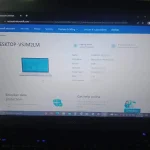
IMG_20221201_175915.webp
 
Checklist:
  • Make sure na naka-on ang bluetooth settings sa bios kung meron man.
  • Updated yung driver ng bluetooth. (uninstall >> reinstall >> update)
  • Naka-on yung bluetooth (nakikita sa notification yung bluetooth icon)
  • Tingnan sa Device Manager kung may conflict sa com port.
  • Run the troubleshooting.
 
Checklist:
  • Make sure na naka-on ang bluetooth settings sa bios kung meron man.
  • Updated yung driver ng bluetooth. (uninstall >> reinstall >> update)
  • Naka-on yung bluetooth (nakikita sa notification yung bluetooth icon)
  • Tingnan sa Device Manager kung may conflict sa com port.
  • Run the troubleshooting.
pano malocate yung driver ng bluetooth at nga pala, hindi nagpa-pop up sa notification yung bluetooth icon, meaning naka-off to?

Tignan if compatible kasi may mga version ang Bluetooth
anong version kaya ng bluetooth compatible sa windows 10 prof?
 
Status
Not open for further replies.

About this Thread

  • 7
    Replies
  • 602
    Views
  • 7
    Participants
Last reply from:
Mr Pujay

Trending Topics

Online now

Members online
973
Guests online
1,080
Total visitors
2,053

Forum statistics

Threads
2,275,634
Posts
28,964,551
Members
1,231,889
Latest member
Dodoy1234
Back
Top