 PH
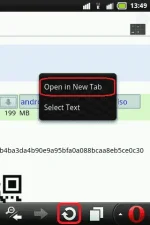
PH- First of all browse through the download page. Then tap and hold on the download link to open menu.
- Tap Open in New Tab. Now tap the Reload like screenshot given below.
3. The download page will start reloading. In the mean time opera will prompt you to save the file. Wait wait... Don't tap the save button before the reload gets completed (otherwise you will ruin the trick).
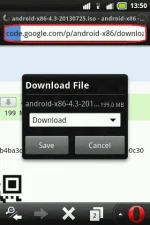
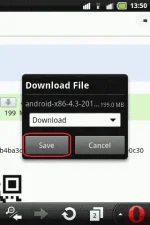
4. After download page finish it's reloading just tap Save.
5. That's it. Your download should be started soon.
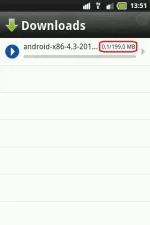
6. Have a look at the below screenshot to make sure that Reload trick is a working trick.
(Alternative Method)
If after reading the reload trick you didn't actually understood it then you can go for this alternative method. Though the reload trick was as easy as Send Big File download request > Send any other request > Trigger Save command.
Go to hideme.be, And browse through it to the big file's download page. Then simply start download. Downloading huge files with this method won't show the file size
sana makatulog po

Hit like

