PH
PHSo yun nga need login number sa disneyph.
Sa aking pagbabasa sa mga threads about disney+ may nakaligtaan akong mabasa na
Gumamit ng vpn at magconnect sa PH ip. Credits sayo sir kung sino ka man.
So nag try ako.
Steps on Mobile:
1. Download ko yung dalawang disney+ sa google play.
2. Open ko yung dalawang app. (Not sure if neccessary e-open pati yung disney+ ph app). Open ko lang yung dalawa.
3. Connect kay E×ρréšš VPN (country US).
4. Login sa disney+ app yung global at login yung account na may 2yrs subscription (NatGeo + Disney+). Credits din po sayo sir.
5. Mag stream muna (at least ma play lang yung stream).
6. Connect to PH ip while streaming. (Antayin lang magpatuloy magstream).
7. Stream for a while using PH ip.
8. Disconnect VPN.
You can now then browse the app pili ng gusto mo e watch without vpn!
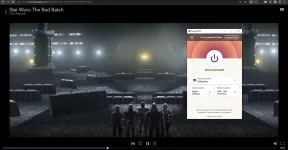
Same lang with PC yung trick. Just open disneyplus(dot)com then start at step 3.
So ayon nga tuloy na streaming without vpn.
Feedback na lang if gumana! Thanks!
UPDATE: Shorter steps on mobile.
1. connect to E×ρréšš vpn. Us or any ip supported.
2. open disney+ app global. (if service not availabe, logout then login.)
3. if the app displays the contents, you can now disconnect vpn.
Continue streaming and do not fully close the app you'll need to do the process again. Tested just now.
Not tested on desktop pc and smart tv. You can try it out and see if it works!
UPDATE: Working on desktop pc! but not sure if how many streams or how long. Just tested it now.