Warning I haven't tried the method, so you're doing this method at your own risk.
I think I found a way to
flashing the
vn007+
But I did not try it, whoever has a broken device will try it and tell us
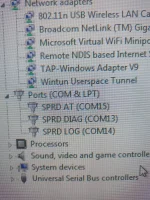
First, install the device drivers on the computer so that the computer recognizes the device when it is
connected to Type C
I downloaded drivers file from online and driver file name
SPD_Driver_R4.20.4201
and
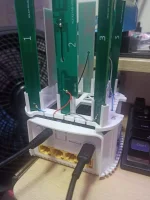
connect the device via Type C cable
then
View attachment 2847416
We have downloaded a program called CM2SP2_helper_v1.14
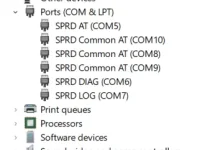
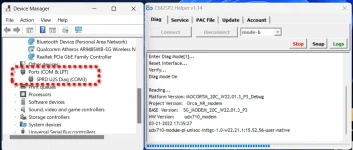
Then we choose Diag and we press Connect and wait a few seconds and restart the device so that the device enters Diag mode
View attachment 2847418
After that, the name of the driver will change to SPRD U2S Diag (COM X)
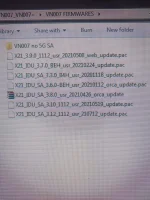
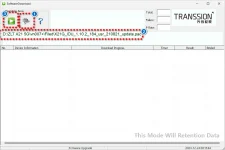
Then we download a program called Spd Latest FlashingTool
View attachment 2847419
Note: You must open the program and then close it and open it again in order for an option to appear that enables you to choose the firmware .pac file
After completing the firmware lift
To exit Diag mode, restart the device or
By opening the CM2SP2-helper program and pressing disconnect
I repeat my words that this explanation I did not try the method, if you want to try it, it is at your risk
and thank you
I hope that anyone who experiments with the method tells us what happened or tells us the result
 PH
PH