PH
PHaltapsalamander
Honorary Poster
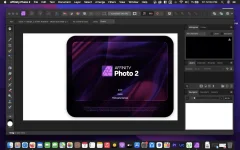
Aimed at professional photographers and other visual artists, Affinity Photo is a comprehensive and multi-platform software solution for powerful photo editing that offers an interesting alternative to other more expensive and more popular similar apps.
Keeping in mind that most fully featured photo processing apps are not what you would call resource friendly, Affinity Photo’s takes on a different approach and focuses on performance and speed, a fact that becomes obvious from the first minutes you start using it.
Everything is done with the help of the app’s five “Personas”
You interact with Affinity Photo with the help of five built-in design environments, named “Personas”: Photo, Liquify, Develop, Macro, and Export. The Photo Persona will probably the most used mode because it features all the main tools needed for basic photo editing tasks, while the Liquify Persona bundles a couple of special warping effects and useful retouching tools.
The Develop Persona is designed with RAW photo processing in mind and it provides you with full control for adjusting your image’s tones and colors, the Macro Persona is specially useful for building and applying macro presets, while the Export Persona, as its name clearly suggests, makes it easy for you to export your images, layers or image slices to a wide variety of formats.
Well organized, but not without faults, user interface
Build to be a valid alternative to other fully featured photo editors, Affinity Photo’s interface doesn’t stray from the common layout with applications of this kind, and, therefore, its majority of features can be easily accessed from the panels found in the extreme left and right sides of its main window.
Regarding its interface, the only downside would be the fact that it bundles very small buttons, which, on the long run might decrease your productivity rate, as well as annoy you at times, especially if your have a Mac with a Retina display.
Bundles a plethora of useful and powerful photo editing tools
As expected, the software enables you to work with overlays and to perform basic adjustments (clarity, contrast, exposure, shadow, highlights, vibrance white, balance, detail refinement, noise reduction, noise addition), as well as to correct the lens’ distortions and chromatic aberrations.
Furthermore, Affinity Photo helps you work with layers and perform complex layer related operations, perform retouching effects, use filters and effects from its large collection, as well as perform local adjustments with the help of its versatile brushes.
All in all, Affinity Photo proved to be a fast and powerful photo editing solution for the vast majority of Mac users, but we will probably see a lot more additions, further improvements and enhancements in the near future.
What’s New:
Version 2.0.0:
- Release notes were unavailable when this listing was updated.
Compatibility: macOS 10.15 or later
Download Link:
You do not have permission to view the full content of this post. Log in or register now.