 PH
PHBAD_KING_PH OFFICIAL
Forum Master

HOW TO CLAIM ?
Step by Step
Step 1. Visit the official website of You do not have permission to view the full content of this post. Log in or register now. >> Click on the “sign up” link then fill out your desired username and password to create a new account for free:
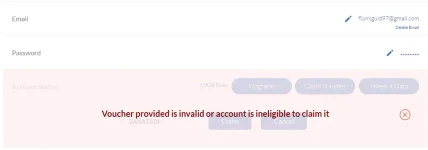
Step 2. Go to “My account”: >>Click “Claim voucher”
Step 3. Add the voucher: " ZANAZADI "
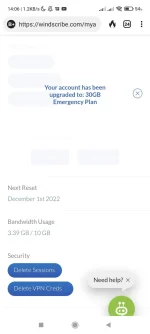
Step 4. Access your mailbox to confirm your email address then log in with your Windscribe account again to get 30GB for free!
Check account status:
Step 5. Now you can download the installer for your computer or use the Windscribe VPN browser extension.
Login to your account to get started:
Just choose a location that you want to connect:
This is a 30GB of free monthly data voucher code
The offer is free for 1-year
Redeem this code before the giveaway has ended
Reminders: Kung may Account na kayo LogIn kayo sa Browser niyo! Then "Claim Voucher"
Refresh mo then success! Enjoy 30Gb



#share
 Good Luck And God Bless Youu