 PH
PH
Pɪᴄsᴀʀᴛ APK FOR ANDROID
Pɪᴄsᴀʀᴛ apk is a creative platform for people who love to edit photos and videos. With Pɪᴄsᴀʀᴛ, you can edit photos and videos, make collages, draw, and more. Pɪᴄsᴀʀᴛ app is available on Android and iOS devices. You can also use Pɪᴄsᴀʀᴛ on your computer by downloading the Pɪᴄsᴀʀᴛ app for Windows or Mac. In this blog post, we will show you how to download and install Pɪᴄsᴀʀᴛ APK on your Android device.Pɪᴄsᴀʀᴛ-POPULAR PHOTO EDTING APP
Pɪᴄsᴀʀᴛ is a popular photo editing app for Android that allows you to create beautiful and unique photos. With Pɪᴄsᴀʀᴛ, you can easily add filters, effects, and text to your photos to make them look even better. You can also share your photos with others on social media or through email.Pɪᴄsᴀʀᴛ is a popular photo editing app for Android that allows users to edit their photos and share them with others. The app includes a wide range of tools and features, making it a powerful tool for both amateur and professional photographers.
One of the most useful features of Pɪᴄsᴀʀᴛ is its ability to remove backgrounds from photos. This is perfect for those times when you want to focus on the subject of the photo, without distractions.
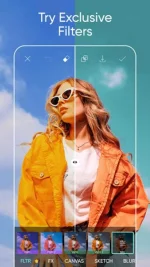
Pɪᴄsᴀʀᴛ also offers a wide range of filters and effects that can be applied to photos. Whether you want to add a vintage look or make your photos pop, there’s an effect for you.
The app also includes collage maker, allowing you to create fun and interesting collages from your photos. With Pɪᴄsᴀʀᴛ, the possibilities are endless!
Pɪᴄsᴀʀᴛ-SEVEN TABS FOR YOU TO DISCOVER
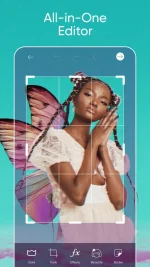
The modern interface, designed on the basis of flat design, gives access to 7 tabs. It is worth remembering that it is possible to create your own account in the Pɪᴄsᴀʀᴛ community not only by registering with Pɪᴄsᴀʀᴛ apk, but also by logging in using your Google, Facebook, or Twitter accounts. The start page provides us with the following modes:• Effect – here you can apply predefined effects, which are over 80 and divided into 8 categories, incl. artistic, blurring, drawing, distorting, in the style of pop art,
• Collage – three types of collage are available, but you need an internet connection to view them all; a standard, grid-based collage (e.g., two photos next to each other at the top, one photo at the bottom) can be made offline,
• Draw – available options include: drawing on a photo, drawing on a blank page, drawing in the background,
• Camera – is an internal camera application; it has all the classic options (changing the camera from the rear to the front one, different diode lighting modes, zooming), but also allows you to take photos with filters applied immediately; the only drawback is the need to wait for the filter to load,
• Photo – both after taking and confirming a photo in the Camera mode, and after selecting the image in the Photo mode, we can edit it, but in a different way than in the Effect mode; functions known from the Effect mode are available here in the form of one of the functions, others allow you to trim, stretch, resize, etc., but also apply drawings and texts, and even create layers (including working on a transparent layer), which is also available in Draw mode; in other words: A photo is a mode in which we can find all possible editing functions of Pɪᴄsᴀʀᴛ,
• Store – these are various extras;
Let’s add to it all that the Effect and Photo modes allow you to select an image for editing from your own resources (not only from the device’s memory, but also from the clouds, as long as we connect the accounts) or by capturing a photo (i.e. taking it immediately) using the default application camera or internal Pɪᴄsᴀʀᴛ camera.
HOW TO USE Pɪᴄsᴀʀᴛ
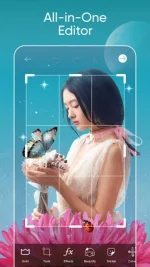
Pɪᴄsᴀʀᴛ is a free, all-in-one photo and video editor available for Android. It has everything you need to make amazing edits.To use Pɪᴄsᴀʀᴛ, simply download the app from You do not have permission to view the full content of this post. Log in or register now.. Once it’s installed, open the app and sign in with your Google account.
Now, you’re ready to start editing! To edit a photo, simply select it from your camera roll or gallery. Then, use the tools in the main menu to make your edits.
When you’re finished, save your work by tapping the “save” icon in the top right corner of the screen. From here, you can share your photo on social media or save it to your device.
You do not have permission to view the full content of this post. Log in or register now.