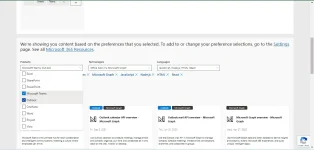
👨‍🏫 Tutorial Office365 With 5TB To 25TB Of OneDrive Cloud Storage

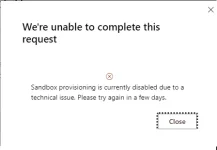
So here's the update. The instruction is working but there's a catch. You can't process it in 1 day if you don't have an existing Microsoft account. Creating a new account and then joining the developer after you created your account does not work. You have to completely input your data first on your Microsoft account i.e, name, surname etc.. Once you've done that you have to wait for 24 hours to update their system. Then try again joining the developer mode. If you want to verify your Philippine number, I suggest doing it from 8:00 A.M. to 5:00 P.M. I tried to verify my number during night time but I didn't receive SMS from Microsoft. That's it. So good luck guys.
 
Salamat TS! Nakuha ko na 5TB ko. Magagamit ko talaga ito sa mga projects. Thanks for sharing!

I clicked the custom domain option. Kaya siguro walang onedrive na checkbox after completion. Pero, nahanap ko naman dito sa link na to (You do not have permission to view the full content of this post. Log in or register now.) click niyo lng yung onderive para ma activate. At e follow niyo nlng yung the rest nag instructions.
 
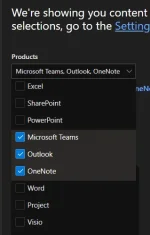
bakit walang OneDrive sakin?
Screenshot 2023-02-01 161633.png


Update: working na sakin need ko nalang 90% ng storage para pwede na maging 25TB
 

About this Thread

  • 186
    Replies
  • 5K
    Views
  • 95
    Participants
Last reply from:
Chrissstiannn

Trending Topics

Online now

Members online
1,163
Guests online
5,037
Total visitors
6,200

Forum statistics

Threads
2,287,608
Posts
29,045,594
Members
1,215,621
Latest member
nawsalinas
Back
Top