PH
PH#lifehäçk
How to check the battery life of a laptop computer
The laptop battery eventually wears out and ceases to please its capacity. As a consequence, it quickly runs down without being connected to a charger. To check the battery wear and tear you can use the system tools.
To check the battery wear and tear you need:
 Press "Win+R" , type "cmd" and type the command "powercfg energy".
 The command line will show the path to the file "energy-report.html", you must open it with any browser
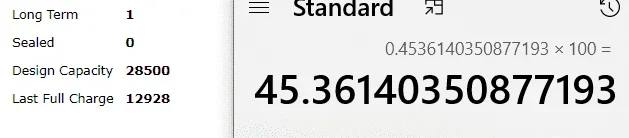
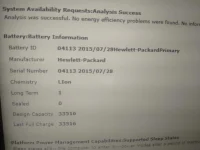
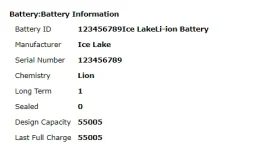
 Scroll to "Battery:Battery Info", the "Last Full Charge" will show the actual battery capacity.
Divide the last capacity by the calculated capacity and you get the remaining life. In my case 33256/41440×100=80%. So the wear rate is 20%.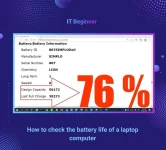
How to check the battery life of a laptop computer
The laptop battery eventually wears out and ceases to please its capacity. As a consequence, it quickly runs down without being connected to a charger. To check the battery wear and tear you can use the system tools.
To check the battery wear and tear you need:
Press "Win+R" , type "cmd" and type the command "powercfg energy". The command line will show the path to the file "energy-report.html", you must open it with any browser Scroll to "Battery:Battery Info", the "Last Full Charge" will show the actual battery capacity. Divide the last capacity by the calculated capacity and you get the remaining life. In my case 33256/41440×100=80%. So the wear rate is 20%.