PH
PHHanlo mga ka PHC, seems like wala pa ako nakitang tutorial kung paano gamitin ang NF Cookies sa smart phone natin so I'll make a tutorial.
Just follow the tutorial below (With pictures):
Just follow the tutorial below (With pictures):
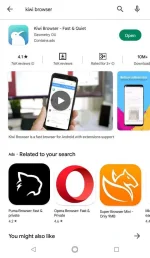
1: Go to your PlayStore and install Kiwi Browser:
2: Once installed, open Kiwi Browser and search "Cookie Editor" for google chrome and select the first link:
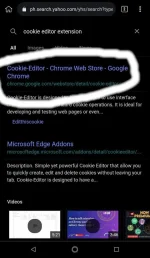
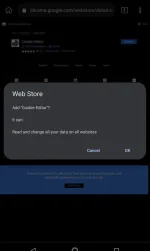
3: Click add to chrome, then may mag popop up jan confirming to add Cookie Editor, just click "Ok".
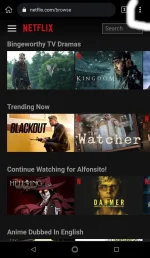
4: Now go to nf.com then click on 3 dots in the upper right of the browser:
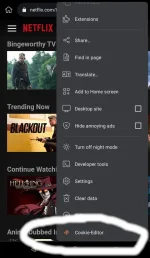
5: Scroll down then click Cookie editor.
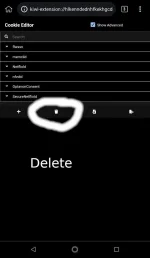
6: Click the delete button which is located on second icon on cookie editor, yung naka bilog.
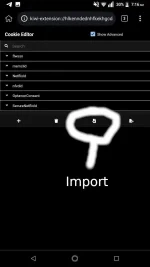
7: Click import, yung naka bilog.
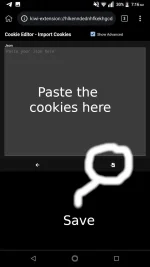
8: Paste the NF cookies you'll find sa forum natin. then click save, yung naka bilog.
After this, refresh mo na yung nf or just click on the URL textbox then go to nf.com ulit.
That's it! You may find a lot of nf cookies sa Freemium Access section.
Enjoy!