 PH
PHPHC-LordGrim
Elite
Hi guys para po eto sa mga nahihirapan mamakahanap ng youtube premium account
Procedure
1. Instal vance app
2.Vance Microg app
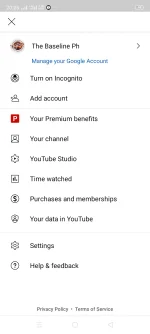
3. Open vance and click sign in
4.after click sign in click add account
5. wag i click ang sign in, click ang tabi nya (dipende kung ano ang lalabas) example Huawei
6. ilagay ang account and password mo and boon pwede muna ma enjoy ang premium account youtube no adds na and pwede mag play music playback

App link
Vance
youtube-vanced-black-16.14.34-mod.apk
You do not have permission to view the full content of this post. Log in or register now.
Microg
Vanced MicroG_0.2.24.220220_apkcombo.com.apk
You do not have permission to view the full content of this post. Log in or register now.
Mirror
Vance
You do not have permission to view the full content of this post. Log in or register now.
MicroG
You do not have permission to view the full content of this post. Log in or register now.
Procedure
1. Instal vance app
2.Vance Microg app
3. Open vance and click sign in
4.after click sign in click add account
5. wag i click ang sign in, click ang tabi nya (dipende kung ano ang lalabas) example Huawei
6. ilagay ang account and password mo and boon pwede muna ma enjoy ang premium account youtube no adds na and pwede mag play music playback
App link
Vance
youtube-vanced-black-16.14.34-mod.apk
You do not have permission to view the full content of this post. Log in or register now.
Microg
Vanced MicroG_0.2.24.220220_apkcombo.com.apk
You do not have permission to view the full content of this post. Log in or register now.
Mirror
Vance
You do not have permission to view the full content of this post. Log in or register now.
MicroG
You do not have permission to view the full content of this post. Log in or register now.

