 PH
PH
> Description <
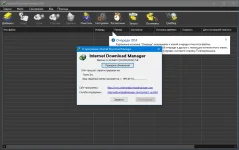
Internet Download Manager (IDM) is a handy tool that allows you to increase the download speed, supporting resume and download on a schedule. According to users, Internet Download Manager is a great program to download your favorite software, games, cd, dvd and mp3 music, movies, freeware and shareware much faster! Internet Download Manager has a built-in logical download accelerator that includes intelligent dynamic file segmentation and secure multilayer download technology to speed up downloads. A comprehensive error analysis system and the ability to resume, will help to continue the download, interrupted due to loss of connection, network problems, computer shutdown or power outages.
Additional Information:
• Dynamic file segmentation, which uses the rule of division into two parts.
• Reuse of connections that have finished loading their parts of the file without additional login steps.
• Configurable timeout time and number of connections to configure IDM for your connection type.
What's new in version 6.41 Build 1
Improved download engine
Fixed problems with downloading for several types of video streams
Fixed bugs
Integration into browsers:
For Google Chrome:
- Using the notification in the upper right corner of the browser "Added new extension IDM integration Module",
enable this extension
For Mozilla Firefox:
- When prompted, allow the installation of IDM integration
If there is a problem with the integration for Mozilla browsers (Firefox, Waterfox, etc.) .d) install the extension manually.
In the folder with the program, you have three files with the extension ".xpi" They have the same name - idmmzcc.xpi, but a different number at the end: idmmzcc2.xpi and idmmzcc3.xpi
Please look carefully at the following:
Select idmmzcc.xpi (without numbers) for Firefox version 1.5 to 26 inclusive.
Select idmmzcc2.xpi for Firefox version 27 through version 52.
Select idmmzcc3.xpi for Firefox 53 and newer.
For Pale Moon:
- Additionally added idmmzcc-palemoon.xpi (install the extension manually).
For Opera:
- According to the attached instruction Opera Integration.mht
For Internet Explorer:
- During installation, select the option "Launch the IE browser control module"
- Enable the IDM integration add-on when requested (a one-time restart of the browser may be required
> Screenshots <
> Download <
Download
Download