 PH
PHRemote Desktop Manager Enterprise Overview
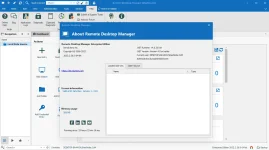
Remote Desktop Manager is a small apgfplication used to manage all your remote connections and virtual machines. Add, edit, delete, shared, organize and find your remote connection quickly. Compatible with Microsoft Remote Desktop, Termfinal Services, VNC, LogMeIn, Team Viewer, Ftp, SSH, Telnet, Dameware, X Window, VMware, Virtual PC, PC Anywhere, Hyper-V, Citrix, Radmin, Microsoft Remote Assistance, Sun Virtual Box and more.Key Features of Remote Desktop Manager Enterprise
- Microsoft Remote Desktop (RDP)
- Microsoft Remote Assistance
- VNC (UltraVNC, TightVNC, RealVNC and embedded)
- LogMeIn
- Team Viewer
- FTP (Explorer, Filezilla and WinSCP)
- X Window
- Putty (SSH, Telnet, RAW and rLogin)
- Dameware Mini Remote Control
- Radmin Viewer
- Citrix XenApp (ICA)
- Symantec PC Anywhere
- Microsoft Hyper-V
- Microsoft Virtual PC
- Microsoft Virtual Server
- Microsoft Windows Virtual PC
- Sun VirtualBox
- VMware Player, VMware Workstation, VMware ESXi and VMware vSphere
- Cisco VPN client
- SonicWall Global VPN client
Remote Desktop Manager Enterprise System Requirements
Below are the minimum system requirements for running the Remote Desktop Manager Enterprise| Processor: | Intel Pentium 4 or later. |
| RAM: | 2 GB available memory. |
| Windows: | 11, 10, 8.1/8, 7. |
| Space: | 500 MB available space. |
Remote Desktop Manager Enterprise Changelog
Below is the list of changes made to the current version of Remote Desktop Manager Enterprise.Improvements
- Allow users in Password Management mode to create and edit Website entries
- Improved public key usage in private key entry
- Fixed a possible issue with the updater
- Fixed control states not applied correctly in My account settings
- Fixed saving issue when using an inherited VPN
How to use Keygen of Remote Desktop Manager Enterprise?
Follow the below instructions to activate your version of Remote Desktop Manager Enterprise.- Disable internet and install the program (use given setup)
- Run the program and use given keygen for activation
- Right click on “block.bat” and click “Run as administrator”
- That’s it, Enjoy!
You do not have permission to view the full content of this post. Log in or register now.