PH
PHBAD_KING_PH OFFICIAL
Forum Master
EaseUS Partition Master?
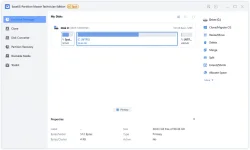
EaseUS Partition Master Technician is an all-in-one partition manager software mainly designed for business,IT admin, technician, consultant and service provider to redistribute hard drive space with high efficiency and keep all PCs, laptops and servers running with perfect performance.
Key Features of EaseUS Partition Master
- The Best Partition Manager Software Ever
- Create / Resize / Move Partition
- Extend Partition
- Format / Delete / Wipe Partition
- Merge / Split Partition
- Disk or Partition Cloning Technician Toolkit
- EaseUS Migrate OS to SSD or HDD
- Full-Range Hard Disk Partitioning Software
- Partition Recovery
- Disk or Partition Conversion
- Repair RAID-5 Volume
- SSD 4K Alignment
- Cleanup and Optimization
- Support Command Line
- Create WinPE Bootable Disk
- Support Windows Storage Spaces
EaseUS Partition Master Changelog
List of changes made to the current version of EaseUS Partition Master.Editions
- EaseUS Partition Master Free 17.0
- EaseUS Partition Master Professional 17.0
- EaseUS Partition Master Server 17.0
- EaseUS Partition Master Unlimited 17.0
- EaseUS Partition Master Technician 17.0
- Altered interactive mode of the main interface
- Applied unified interactive elements
- Improved the interactive process of Disk Copy function
- Perfected the interactive process of Partition Recovery function
- Ameliorated the interactive process of Bootable Media function
- Added Disk Converter function into the toolbar as a key feature
- Put other robust widgets into the Toolbox section
- Settled some product functionality/quality issues

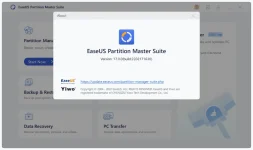
EaseUS Partition Master v17.0.0 + Activ@t0r Updated
You do not have permission to view the full content of this post. Log in or register now.
K3yG3n
You do not have permission to view the full content of this post. Log in or register now.
Follow the below instructions to activate your version of EaseUS Partition Master.
- Run installer from “Setup” folder and complete the installation.
- Close program completely "even from system tray".
- Extract activ@t0r from archive. Right click on activ@t0r & click “Run as administrator”.
- Click on “Activ@te” button and when prompted, point to program installation folder.
- Default location: 32Bit: C:\Program Files\EaseUS\EaseUS Partition Manager\ or 64Bit: C:\Program Files (x86)\EaseUS\EaseUS Partition Manager\
- That’s it, Enjoy!

TakeNote: OFF YOUR ANTI VIRUS

Attention:
This cr*ck is not forsale!
So enjoy.
Good LuckGod Bless Youu and Keep Safe Always!!!!
Pass+
 = phcbadking0808
#share
#software
#PHBadking


 (
(