 PH
PHMany people might afraid and suspect about the mobile authenticity after purchased. However, some of you may not aware about it have an easy way to verify it. Let’s begin!
1. Proceed to You do not have permission to view the full content of this post. Log in or register now.
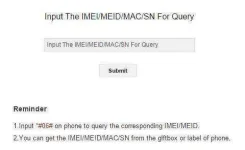
2. Enter your IMEI number and click submit:
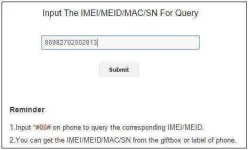
Option 1: Input *#06# on phone to query the corresponding IMEI/MEID.
Option 2: Go to Setting -> About Phone -> IMEI
*Remark: Enter your first IMEI number if two IMEI number is occurred.
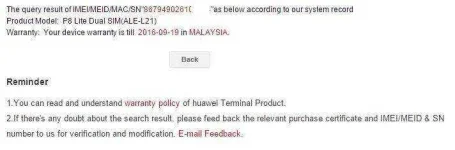
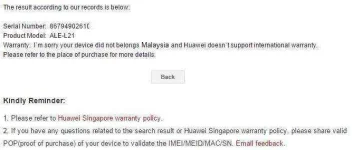
3. Upon submitted, system will indicate your product model, warranty period and identify the mobile is local set or non-local set (depends on your own country) as below:
A. Local Set
B. Non-Local Set
It is pretty easy right? So what are you waiting for? Check your mobile authenticity now!
1. Proceed to You do not have permission to view the full content of this post. Log in or register now.
2. Enter your IMEI number and click submit:
Option 1: Input *#06# on phone to query the corresponding IMEI/MEID.
Option 2: Go to Setting -> About Phone -> IMEI
*Remark: Enter your first IMEI number if two IMEI number is occurred.
3. Upon submitted, system will indicate your product model, warranty period and identify the mobile is local set or non-local set (depends on your own country) as below:
A. Local Set
B. Non-Local Set
It is pretty easy right? So what are you waiting for? Check your mobile authenticity now!