 PH
PH#lifehäçk
How do I remove preinstalled applications?
By default, Windows has "mega-utility" programs installed that you obviously never use: People, Xbox, Maps, nobody needs Mail, and everyone's favorite (no) Tip.
Not only do all these programs use RAM, but they also create confusion when working with new applications because of them. Therefore:
1. open the PowerShell program as an administrator.
2. Enter the command "Get-AppxPackage | Select Name, PackageFullName" to get a list of all installed programs.
3. Enter the command "Get-AppxPackage "people" | Remove-AppxPackage". "People" is just an example, and instead you should specify the name of the program you want to remove.
Done. This way you will manually get rid of all unnecessary programs without using any third-party tweakers or other programs.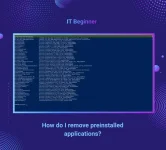
How do I remove preinstalled applications?
By default, Windows has "mega-utility" programs installed that you obviously never use: People, Xbox, Maps, nobody needs Mail, and everyone's favorite (no) Tip.
Not only do all these programs use RAM, but they also create confusion when working with new applications because of them. Therefore:
1. open the PowerShell program as an administrator.
2. Enter the command "Get-AppxPackage | Select Name, PackageFullName" to get a list of all installed programs.
3. Enter the command "Get-AppxPackage "people" | Remove-AppxPackage". "People" is just an example, and instead you should specify the name of the program you want to remove.
Done. This way you will manually get rid of all unnecessary programs without using any third-party tweakers or other programs.