 PH
PHRashiMrBRD
Honorary Poster
NOTES
APPS WILL BE UPDATED FROM TIME TO TIME
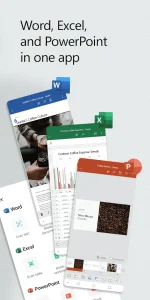
Word, Excel, and PowerPoint Combined:
Microsoft OFFICE | For Android
INFORMATION
Take advantage of a seamless experience with Microsoft tools on the go with the Office app, the simple solution for productivity, document, spreadsheet, presentation, and file management
• Widely used tools now accessible within a single application, the go-to docs app for productivity.
• Use Microsoft Office as a cover letter creator and resume editor with our professional templates.
• Store and access Word, Excel & PowerPoint files using the cloud-based storage.
• Word documents and excel sheets can be created and collaborated on with others in real-time.
• PowerPoint presentations can be shared and edited. Practice your presentation with Presenter Coach.
• Excel worksheets can be created using one of the many templates available in-app, or instantly edited.
• Document and file shared view makes it easy to access and collaborate via Outlook and Teams.
• Documents like resumes and cover letters can be edited by others for seamless collaboration.
Convert Pictures and Documents with Office Lens
• Create docs by snapping a picture or uploading a photo from your camera roll.
• Transform a photo of a table into a usable Excel spreadsheet to work with the data.
• Enhance digital images of whiteboards, sheets and documents.
PDF Scanning & Editing Capabilities:
• The PDF converter tool allows you to scan PDF files and convert them into Word documents and vice versa, instantaneously
• Edit PDF files on your device quickly and easily while on the go.
• PDF Reader allows you to access and sign PDFs.
Unique Office Mobile Functions:
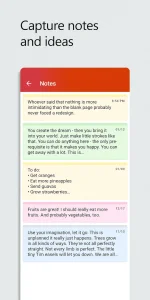
• Quickly jot down thoughts and ideas, and then save or share them via Sticky Notes.
• QR Scanner enables your device to scan QR codes and open attached links.
• Spreadsheets and documents can be transferred between your phone and computer or shared instantly with nearby mobile devices.
Download
Support PPD Download | V7a
Support PPD Download | V8a
✔ Ad-free, faster & smoother
MOON+ READER PRO
INFORMATION
All-in-one ebook documents management and better designed book reader with powerful controls & full functions, supports EPUB, PDF, DJVU, AZW3, MOBI, FB2, PRC, CHM, CBZ, CBR, UMD, DOCX, ODT, RTF, TXT, HTML, MD(MarkDown), WEBP, RAR, ZIP or OPDS formats
✔ Shake the phone to speak (Text-to-speech, TTS engine support)
✔ PDF multiple annotations support, fast & speech compatible
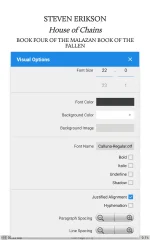
✔ More beautiful themes, background images and fonts
✔ Headset & Bluetooth keys control
✔ Name replacement | Role reversal
✔ Multi-point touch support
✔ Option for password protection at startup (support fingerprint recognition)
✔ Book to home screen shortcut
✔ Widget shelf support, group your favorite books, put them to desktop as widget
✔ Tilt to turn page with customized actions
✔ Customer email support
☀PDF features in Pro version:
✔ Fill out PDF Form
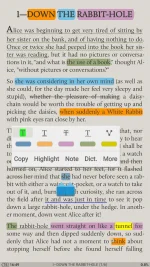
✔ Highlight, annotation, handwriting
✔ Smart scroll lock, smooth reading experience
✔ Night mode support, 6 additional pdf themes available
✔ Dual-page mode for landscape screen
✔ Speech, auto-scroll compatible
✔ Read statistics, sync, flip animation available
Download
HOW TO DOWNLOAD

MIRROR LINKS
|
You do not have permission to view the full content of this post.
Log in or register now.
Spoiler contents are visible only to Established Members.
