 PH
PHja3_kyung27
Grasshopper
Cast to TV by Castify for Android with over 4,000,000 users so far.
Requires Streaming Devices:
Chromecast 1, 2, and Ultra HD 4K
Fire TV or Fire Stick
Apple TV Airplay (4th gen) tvOS 10.2+
Roku E×ρréšš or Roku Streaming Stick
DLNA receivers
Xbox One, Xbox 360
Google Cast receivers
Smart TVs with DLNA built-in including: Panasonic, LG TV, TCL, Phillips, Sony Bravia, Samsung, Sharp, and many others. Please check your TV’s user manual.
Free Features:
– Cast to TV, video, music, or photos
– Cast web videos found online from websites
– Stream to TV from local files on phone to Chromecast or compatible devices
– Only 2 items in queue at a time
– Only 1 bookmark at a time
– Play history
– Searching of videos on any websites
– Block popups per website
*Free features are ads-supported.
Pro Premium Features:
– Removes advertisements
– Subtitles (only Chromecast for now)
– Custom themes
– More than 2 videos in queue
– More than 1 bookmarks
– Set home page
– Sync across devices
This app works best with Google Chromecast and Google Cast receivers. Users may experience limited functionalities with other casting receivers.
This is not a phone screen mirroring/sharing app.
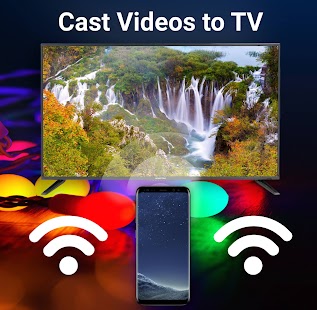
Cast videos and music from web browser to TV.
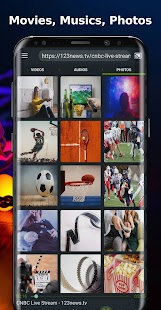
Also cast local movies and musics found on your phone/tablet to TV with compatible streaming devices.
Usage Steps:
1. Use the app’s browser to navigate to a website.
2. The browser will try to find any playable video/audio on that site.
3. Then play it locally on the Phone/Tablet, or cast to TV with Chromecast or one of the compatible streaming receivers.
Supported Formats:
MP4 movie
MKV files
MP3 music
JPG, PNG images
HTML5 video
HLS Live Streaming
Some iptv m3u8 urls
4K and HD where available
-If a video is not playing or a disconnection occurs, it could be several reasons:
1. The ISP(Internet Service Provider)
2. The source website itself
3. Insufficient WIFI signal strength
Troubleshooting:
-Ensure your WIFI connection is stable and on the same network. Casting to TV requires a good internet connection.
-Most connection problems can be resolved by restarting the streaming receiver and phone/tablet.
-Open the url in the System Browser to ensure the source and site is working properly there.
-Flash websites are not supported by streaming device manufacturers.
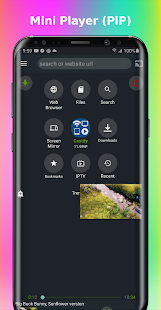
Screenshots
You do not have permission to view the full content of this post. Log in or register now.. com/castevee
(remove space)
Requires Streaming Devices:
Chromecast 1, 2, and Ultra HD 4K
Fire TV or Fire Stick
Apple TV Airplay (4th gen) tvOS 10.2+
Roku E×ρréšš or Roku Streaming Stick
DLNA receivers
Xbox One, Xbox 360
Google Cast receivers
Smart TVs with DLNA built-in including: Panasonic, LG TV, TCL, Phillips, Sony Bravia, Samsung, Sharp, and many others. Please check your TV’s user manual.
Free Features:
– Cast to TV, video, music, or photos
– Cast web videos found online from websites
– Stream to TV from local files on phone to Chromecast or compatible devices
– Only 2 items in queue at a time
– Only 1 bookmark at a time
– Play history
– Searching of videos on any websites
– Block popups per website
*Free features are ads-supported.
Pro Premium Features:
– Removes advertisements
– Subtitles (only Chromecast for now)
– Custom themes
– More than 2 videos in queue
– More than 1 bookmarks
– Set home page
– Sync across devices
This app works best with Google Chromecast and Google Cast receivers. Users may experience limited functionalities with other casting receivers.
This is not a phone screen mirroring/sharing app.
Cast videos and music from web browser to TV.
Also cast local movies and musics found on your phone/tablet to TV with compatible streaming devices.
Usage Steps:
1. Use the app’s browser to navigate to a website.
2. The browser will try to find any playable video/audio on that site.
3. Then play it locally on the Phone/Tablet, or cast to TV with Chromecast or one of the compatible streaming receivers.
Supported Formats:
MP4 movie
MKV files
MP3 music
JPG, PNG images
HTML5 video
HLS Live Streaming
Some iptv m3u8 urls
4K and HD where available
-If a video is not playing or a disconnection occurs, it could be several reasons:
1. The ISP(Internet Service Provider)
2. The source website itself
3. Insufficient WIFI signal strength
Troubleshooting:
-Ensure your WIFI connection is stable and on the same network. Casting to TV requires a good internet connection.
-Most connection problems can be resolved by restarting the streaming receiver and phone/tablet.
-Open the url in the System Browser to ensure the source and site is working properly there.
-Flash websites are not supported by streaming device manufacturers.
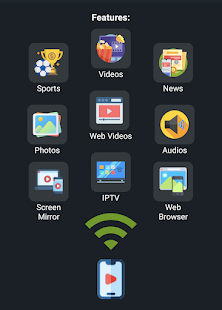
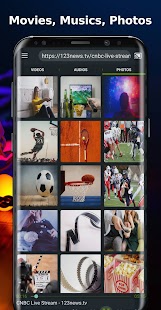
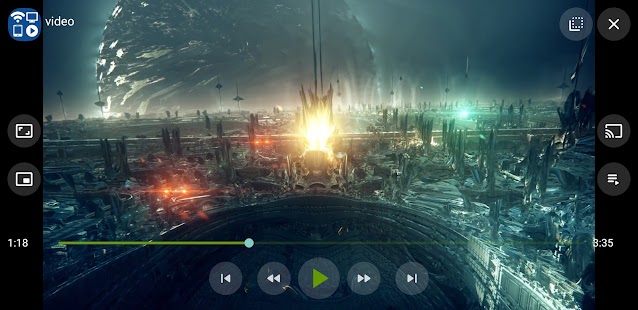
Screenshots






Whats New
- improvements & bug fixes
You do not have permission to view the full content of this post. Log in or register now.. com/castevee
(remove space)
