PH
PH- Requirements:
Windows XP / Vista / Windows 7 / Windows 8 / Windows 10 / Windows 11
Taking several screenshots cannot be done with just the Windows option alone. You need an app that can do this for you with ease. One such app is called Auto Screen Capture. You’ll be taking several quick screenshots right away.
Easy to Use GUI and Setup
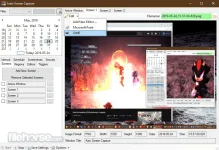
The installation is fast and simple. You won’t experience web browser alterations or any other kinds of issues. The interface is both bland and intuitive, but the program doesn’t need an attractive window because it does what it’s supposed to do. Regardless of your computer knowledge, you won’t have trouble operating this program.
Extensions That Are Supported
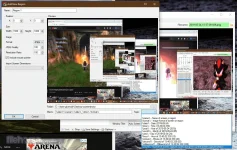
The number of screenshots taken can be set by the app. Time delays can be made between each screenshot too. The images captured can be saved in several different formats like WMF, TIFF, PNG, GIF, EMF, JPEG, and BMP.
The program doesn’t let you change the default output path directory, but you can use the interface to open it. That way, you don’t need to browse through all your disks to get to it.
Display Slideshows and History
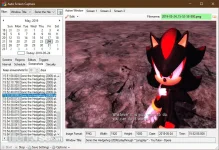
By using the calendar, the app allows you to see photographs created on a particular day. Other filtering options include choosing specific picture formats only.
Another way to view the photos is through a standard slideshow. The delay can be altered between the images in order to customize the slideshow.
Auto Screen Capture is great at taking screenshots quickly of your whole desktop. Novices can figure this software out just as easily as experienced users. Tests showed no bugs or errors in the software either.
Download link:You do not have permission to view the full content of this post. Log in or register now.