PH
PHUPDATE 6/25/2016
What's New?
1. Added VPN functionality (FinchVPN,TCPVPN,ZPN & VPNBook)
2. New injector configs - almost all tcp configurations will work
3. Pre-loaded with VPN Configurations
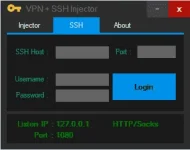
4. Lifetime ssh account - automatically saves ssh account no more need to input in account.txt
You may used other ssh account if you want
5. New Globe injector servers for default APN
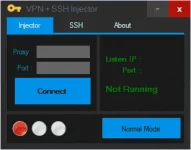
6. Revised manual proxy mode config (Only works for TNT and SUN)
Things you'll need:
1. My injector - download link on the attachment
2. Patience and time to read
3. A working brain :woot:
1. You need an account
FinchVPN - You do not have permission to view the full content of this post. Log in or register now.
ZPN - You do not have permission to view the full content of this post. Log in or register now.
Note: for ZPN (Activate 10GB data via pay per tweet)
TCPVPN - You do not have permission to view the full content of this post. Log in or register now.
VPNBook - You do not have permission to view the full content of this post. Log in or register now. (account password changes every week)
2. Open VPN + SSH Injector V2.exe as admin (this is important)
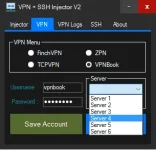
3. Input account - go to VPN tab select the VPN you've created an account for
input username and password then click on "Save Account"
Note : for finchvpn generate API key then use it as the password
4. This is only for ZPN
Navigate to Openvpn/data/zpnfiles
Open zpn.db with notepad then replace lawliet44 with your username
ex. lawliet44.zpn.im
it must be username.zpn.im
You're all set now
now
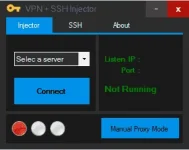
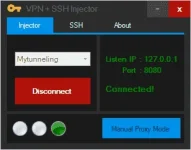
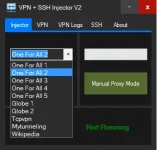
1. On the Injector Tab select one of the servers then hit "Connect"
One For ALL servers, TCPVPN & Mytunneling(config not included) - tested on TNT & Sun
Globe 1 & 2 - tested on Globe & TM default prepaid/postpaid APN
You must have this IP ranges for Globe & TM :
100.85.xxx.xxx
100.87.xxx.xxx
100.93.xxx.xxx
100.95.xxx.xxx
100.100.xxx.xxx
100.104.xxx.xxx
100.111.xxx.xxx
100.120.xxx.xxx
100.121.xxx.xxx
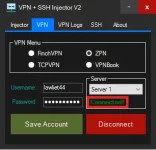
2. Once connected navigate to VPN tab then select one of the vpn,
you may now select a vpn server then hit "Connect"
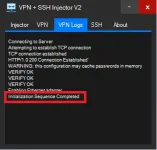
3. Wait for it to be Connected.
4. Have fun
Busy ako masyado minsan ko lang kayo masasagot kaya ito ang mga pwedeng gawin pag ayaw magconnect
1. Select another injector server
2. Make sure na tama ang account niyo
3. Select another injector server (may vpn servers na offline minsan)
4. Always run my app as admin
5. Get those ip ranges for Globe
6. Disable Firewall
For Downloading I suggest na yung ssh gamitin niyo.
Expect some bugs
Kindly post your problem with screenshots if you're experiencing some.
What's New?
1. Added VPN functionality (FinchVPN,TCPVPN,ZPN & VPNBook)
2. New injector configs - almost all tcp configurations will work
3. Pre-loaded with VPN Configurations
4. Lifetime ssh account - automatically saves ssh account no more need to input in account.txt
You may used other ssh account if you want
5. New Globe injector servers for default APN
6. Revised manual proxy mode config (Only works for TNT and SUN)
Things you'll need:
1. My injector - download link on the attachment
2. Patience and time to read
3. A working brain :woot:
1. You need an account
FinchVPN - You do not have permission to view the full content of this post. Log in or register now.
ZPN - You do not have permission to view the full content of this post. Log in or register now.
Note: for ZPN (Activate 10GB data via pay per tweet)
TCPVPN - You do not have permission to view the full content of this post. Log in or register now.
VPNBook - You do not have permission to view the full content of this post. Log in or register now. (account password changes every week)
2. Open VPN + SSH Injector V2.exe as admin (this is important)
3. Input account - go to VPN tab select the VPN you've created an account for
input username and password then click on "Save Account"
Note : for finchvpn generate API key then use it as the password
4. This is only for ZPN
Navigate to Openvpn/data/zpnfiles
Open zpn.db with notepad then replace lawliet44 with your username
ex. lawliet44.zpn.im
it must be username.zpn.im
You're all set
now1. On the Injector Tab select one of the servers then hit "Connect"
One For ALL servers, TCPVPN & Mytunneling(config not included) - tested on TNT & Sun
Globe 1 & 2 - tested on Globe & TM default prepaid/postpaid APN
You must have this IP ranges for Globe & TM :
100.85.xxx.xxx
100.87.xxx.xxx
100.93.xxx.xxx
100.95.xxx.xxx
100.100.xxx.xxx
100.104.xxx.xxx
100.111.xxx.xxx
100.120.xxx.xxx
100.121.xxx.xxx
2. Once connected navigate to VPN tab then select one of the vpn,
you may now select a vpn server then hit "Connect"
3. Wait for it to be Connected.
4. Have fun
Busy ako masyado minsan ko lang kayo masasagot kaya ito ang mga pwedeng gawin pag ayaw magconnect
1. Select another injector server
2. Make sure na tama ang account niyo
3. Select another injector server (may vpn servers na offline minsan)
4. Always run my app as admin
5. Get those ip ranges for Globe
6. Disable Firewall
For Downloading I suggest na yung ssh gamitin niyo.
Expect some bugs
Kindly post your problem with screenshots if you're experiencing some.