PH
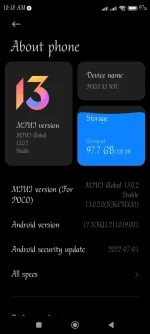
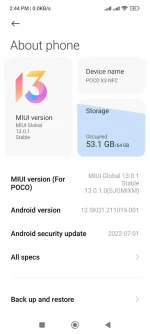
PHAvailable na update POCO X3 NFC GLOBAL MIUI 13 Android 12
Tested & Smooth UI, so far wala pa naman akong nakitang bugs.
DOWNLOAD
You do not have permission to view the full content of this post. Log in or register now.
How to Upgrade?
- Transfer the download .zip file to your phone, and ensure you place the file in the “downloaded_rom” folder in the internal storage of your device. If no such folder exists, create one in your internal storage base directory.
- On your phone, navigate to Settings > About Phone > System Update, and then press the three-dot icon in the top-right corner, and select “Choose Update Package”. If the “Choose Update Package” is not visible, you need to tap on the MIUI version logo 7-10 times.
- If the “Choose Update Package” option is missing, tap on the MIUI logo 10 times to activate the option.
- Choose the downloaded .zip file.
- Wait for the update to install.
"Use at your own risk".
Tested & Smooth UI, so far wala pa naman akong nakitang bugs.
DOWNLOAD
You do not have permission to view the full content of this post. Log in or register now.
 love this miui 13