 PH
PH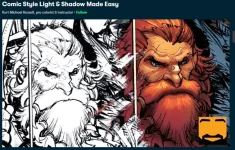
This in-depth, step-by-step class will teach you how & where to add highlights and shadows to line art in real-time! I’ll show you how to analyze the shapes of the forms in your drawings and correctly start thinking in three dimensions instead of two. We’ll be using the same techniques that I’ve used in my professional work in over 80 issues as a comic book colorist.
You’ll learn:
- How to layer multiple types of lighting to create a stunning final image.
- Simple ways to think about your lighting colors.
- When to use harder and softer edges when rendering.
- How to edit your rendering colors to completely change the tone of a piece.
In additions to the hours of video lessons, the course also includes:
- Full resolution, layered PSD files of the exercises for practice.
- Layered PSD files from my professional work to study.
I've created hundreds of hours of tutorials and taught thousands of students worldwide. You can expect top notch video & audio quality throughout.
These lessons feature Photoshop CC and Procreate. You can use any art application that includes layers and blending modes. Some examples would include Clip Studio Paint, ArtStudio Pro, Krita, Sketchbook Pro, and Medibang to name a few.
NOTE: This course does assume that you understand the very basics of using your preferred art app like using the brush tools, layers, etc.
So join me! I hope to see you there, and I'd love to help you down the path to becoming a great colorist!
LINK:
You do not have permission to view the full content of this post. Log in or register now.
How to download?
3 clicks lang, click mo yang link na yan,
Tapos isang click dun sa title ng tutorial sa ibaba ng post,
Then isang click ulit sa title, terabox download na.
Gamit ka ng IDM para mabilis.
Enjoy! Please reply to keep the thread alive.