PH
PH1hitdelete
Forum Guru
help naman BAD DISK na yung status.. hindi ma format format sa disk management(built in).
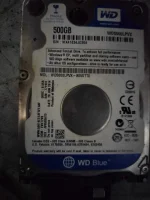 eto paps oh . wait scanning pa sa wizard partition .. try ko mmya yan
may free version ka nito paps?TS, kung nade-detect pa siya ni Windows, Subukan mo ito:
[Hidden content]
Free for home use iyan, TS. May limit lang sa speed.View attachment 2029434eto paps oh . wait scanning pa sa wizard partition .. try ko mmya yan
may free version ka nito paps?
paps pwede step by step? finormat ko na sya naka quick wipe.. ano next? hindi sya magalaw sa disk management.. yan oh yung errorFree for home use iyan, TS. May limit lang sa speed.
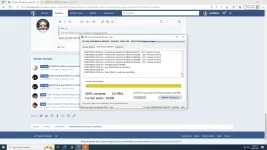
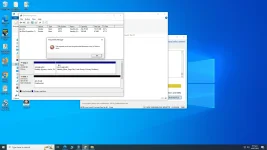
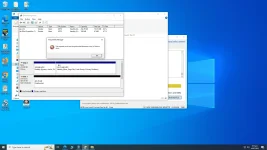
ayaw talga kahit na low level formating na..Natapos no yung low level formatting? Sunod diyan yung partitioning (primary), right click ka sa unallocated space, select new simple volume, next, lagay mo yung volume size kung gusto mong hatiin, otherwise lagay mo yung actual size niya, tapos bigyan mo ng drive letter. Lastly, normal na formatting sa gusto mong file system, NTFS o exFAT.
hdd to galing sa laptop.. nilagay ko lang sata sa dekstop ko para mapakinabangan kaso di ma format ..Hdd or ssd?
ala problema sa cord kasi na reread naman sya sa PC at partion tool ganun din sa bootup .. kaso nga lang di ma open format .. ano dpat gawin? check nyo paps yung image dun sa comment ko ayun yung errorClean mo yung contact nang Drive TS gamit ka pencil eraser tapos gentle lang
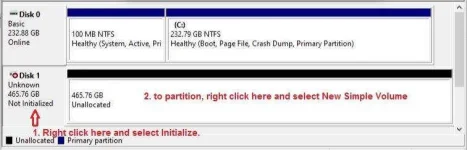
Initialize mo pala muna, right click yung disk 1 tapos select Initialize, pili ka kung MBR o GPT (gayahin mo kung ano yung sa disk 0 - right click mo yung disk 0, click on Properties, click on Volume tab makikita mo sa Partition style kung MBR o GPT). Pagkatapos niyan, tuloy mo na yung partitioning + formatting.ayaw talga kahit na low level formating na..
check mo yung second screenshot ganun yun lumalabas
walang initialize properties dito sa HDDLLF TOOL... format device lang meon e?
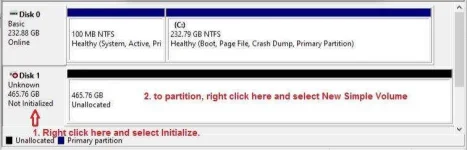
na format ko na paps.. ano na next na gagawin.. nakalagay lang unallocated
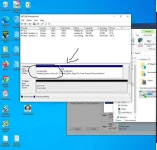
na format ko na paps.. ano na next na gagawin.. nakalagay lang unallocated