PH
PH
Create and register your own Onedrive account and get free 1TB of storage.
Link:
You do not have permission to view the full content of this post. Log in or register now.
Login Here:
You do not have permission to view the full content of this post. Log in or register now.
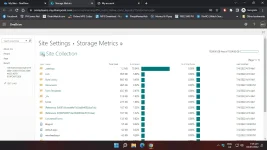
Check how much storage you have
- Login to your Office 365 account
- Click on the OneDrive icon
- Click the cog
 icon.
icon. - Click on OneDrive Settings
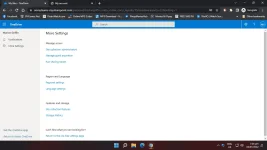
- Click More Settings
- Click Storage Metrics