 PH
PHDahil umay na ako sa One UI at bawal sa cp ko ang Good Lock, baka trip niyo UI ni Pixel using Lawnchair 12 at KGWT 
Actual Screenshots...
[Without Icon Pack]
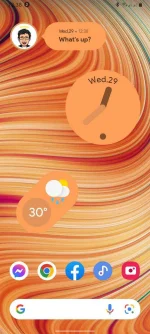
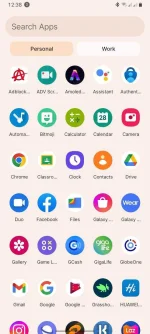
[With Icon Pack]
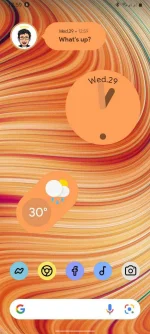
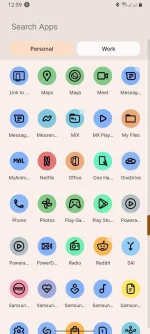
1.) Dl at install niyo lang yung nasa baba
[Either sa dalawa, gamit ko yung Alpha 5]
Lawnchair Alpha 4: You do not have permission to view the full content of this post. Log in or register now.
Lawnchair Alpha 5: You do not have permission to view the full content of this post. Log in or register now.
KGWT Pro: You do not have permission to view the full content of this post. Log in or register now.
Android 12 U for KGWT: You do not have permission to view the full content of this post. Log in or register now.
Pix Material You Icon Pack + Widgets [Optional: kung ndi niyo trip yung default na Icon]: You do not have permission to view the full content of this post. Log in or register now.
2.) Install niyo lang (then gawing mong default si Lawnchair na Homescreen)
3.) Widgets? Hold mo lang yung homescreen ni Lawnchair
Actual Screenshots...
[Without Icon Pack]
[With Icon Pack]
1.) Dl at install niyo lang yung nasa baba
[Either sa dalawa, gamit ko yung Alpha 5]
Lawnchair Alpha 4: You do not have permission to view the full content of this post. Log in or register now.
Lawnchair Alpha 5: You do not have permission to view the full content of this post. Log in or register now.
KGWT Pro: You do not have permission to view the full content of this post. Log in or register now.
Android 12 U for KGWT: You do not have permission to view the full content of this post. Log in or register now.
Pix Material You Icon Pack + Widgets [Optional: kung ndi niyo trip yung default na Icon]: You do not have permission to view the full content of this post. Log in or register now.
2.) Install niyo lang (then gawing mong default si Lawnchair na Homescreen)
3.) Widgets? Hold mo lang yung homescreen ni Lawnchair
For Advance Customization [Widgets] Use KGWT Pro
Mahirap siya i-explain (nasa YT marami tutorials) basta naka preset naman yung Android 12 U, import niyo lang then explore mo
Yung Pix Material You Icon Pack, meron na yang widgets kaso ndi siya nagkakaroon ng color palette (naka default lang siya na blue)


