🔒 Closed Epidemic sound updated working cookies

Status
Not open for further replies.

Nino_info

Contributor
DOWNLOAD LINK

You do not have permission to view the full content of this post. Log in or register now.


CONTROLC LINK
Spoiler contents are visible only to Established Members.

Remember that Epidemicsound plus cookies are only for educational purposes.
1656513182639.webp

How to use cookies on Google chrome?​

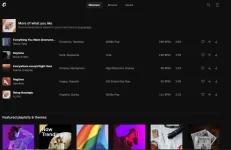
Using cookies is very easy and using of Epidemicsound cookies is also very much easy. First, go to the google chrome extension store and download the Cookies editor and install the cookies editor extension to the browser. Now the first thing if you want to use Epidemicsound cookies you should go to the Epidemicsound home page or login page then click on the Cookies Editor Extension now press the delete button from the extension and delete existing cookies now import the cookies from below. Copy the cookies from the below and past to the import page now press the import button again. Now refresh to Epidemicsound page if the cookies are alive you will get access. If the cookies are dead you will not get a login.
 
Status
Not open for further replies.

About this Thread

  • 3
    Replies
  • 55
    Views
  • 4
    Participants
Last reply from:
KisuWilliam

Trending Topics

Online now

Members online
1,188
Guests online
2,200
Total visitors
3,388

Forum statistics

Threads
2,318,957
Posts
29,198,119
Members
1,180,148
Latest member
jjjjj0430
Back
Top