PH
PHWindows 11 21H2 Build 22000.675 AIO (No TPM Required) With Office 2021 Pro Plus (x64) En-US Pre-Activated
Description:
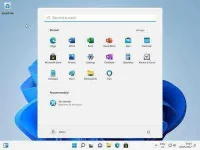
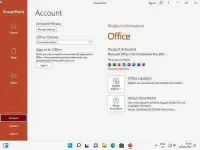
This is the latest version of Windows OS releases, with new interface and other new features like new Microsoft Store, a new personalized feed powered by AI and best-in-class browser performance from Microsoft Edge, Chat from Microsoft Teams integrated in the taskbar and many more!
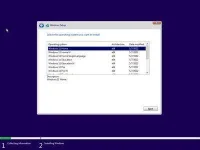
Editions Included:
1. Windows 11 Home
2. Windows 11 Home N
3. Windows 11 Home Single Language
4. Windows 11 Education
5. Windows 11 Education N
6. Windows 11 Pro
7. Windows 11 Pro N
8. Windows 11 Pro Education
9. Windows 11 Pro Education N
10. Windows 11 Pro for Workstations
11. Windows 11 Pro N for Workstations
12. Windows 11 Enterprise
13. Windows 11 Enterprise N
Operating System:
Install Notes:
Note: Please follow the attached image for link

Link:
Description:
This is the latest version of Windows OS releases, with new interface and other new features like new Microsoft Store, a new personalized feed powered by AI and best-in-class browser performance from Microsoft Edge, Chat from Microsoft Teams integrated in the taskbar and many more!
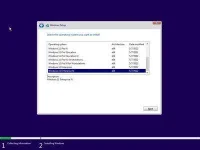
Editions Included:
1. Windows 11 Home
2. Windows 11 Home N
3. Windows 11 Home Single Language
4. Windows 11 Education
5. Windows 11 Education N
6. Windows 11 Pro
7. Windows 11 Pro N
8. Windows 11 Pro Education
9. Windows 11 Pro Education N
10. Windows 11 Pro for Workstations
11. Windows 11 Pro N for Workstations
12. Windows 11 Enterprise
13. Windows 11 Enterprise N
Operating System:
- Processor: 1 gigahertz (GHz) or faster.
- RAM: 2 gigabyte (GB).
- Free space on hard disk: 40 gigabytes (GB).
- Graphics card: DirectX 9 graphics device or a newer version.
- Additional requirements to use certain features.
- To use touch you need a tablet or monitor that supports multitouch.
- To access the Windows store to download and run apps, you need an active Internet connection and a screen resolution of at least 1024 x 768 pixels
Install Notes:
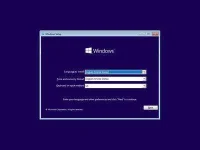
- Install a USB bootable creation software (such as Rufus) on your Windows computer.
- Plug in a USB flash drive (at least 8GB of free space) to your computer.
- Open the USB bootable creation software, and select the ISO image file of Windows 11, and start the process.
- Plug the bootable USB into a system where you want to install Windows 11.
- Restart the computer.
- Press the boot device menu key and select USB to boot first.
- Select USB device and start the Windows 11 installer.
Note: Please follow the attached image for link
Link:
Spoiler contents are visible only to Established Members.
 basta pasok yung system requirements ganda sa mata