PH
PHMoon_walker30
Forum Veteran
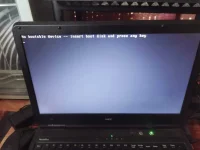
Bootable usb nalang ba ang paraan para maayos?? Pa help po
Tapos na paps pero ganoon pa rincheck mo boot priorities sa bios kung naka primary yong storage na may os.
Bubuksan ko lods??Try mo ireinsert yung sata ng HDD/SSD mo kung ma-detect pa niya O try mo magpalit ng SATA cable. Kung hindi na ay baka bootable USB na lang talaga ang solution.
Diko mahanap lods sa bios set mga yanpunta ka boot options at select mo ang tamang boot device, if wala kang choices it means hindi match ang disk type sa bios setting, just switch between legacy and uefi
yung boot options parang f12 or f11 ataDiko mahanap lods sa bios set mga yan
Nakacheck mo boot priorities sa bios kung naka primary yong storage na may os.
Naloko na pati keyboard ayaw na niyaTS Check mo kung nagpapakita ang HDD/SSD mo sa bios.
Best solution jan is ito go to bios set kalang sa password ng bios mo then disable mo boot secure para mas madali mo maintindihan nuod ka youtubetry mo sa RUFUS tapos naka MBR ang format
sa bios setup .. dissable mo ang SECURE BOOT
then restart ka ..bios setup ulit .. dapat makikita mona yong USB BOOT device mo